
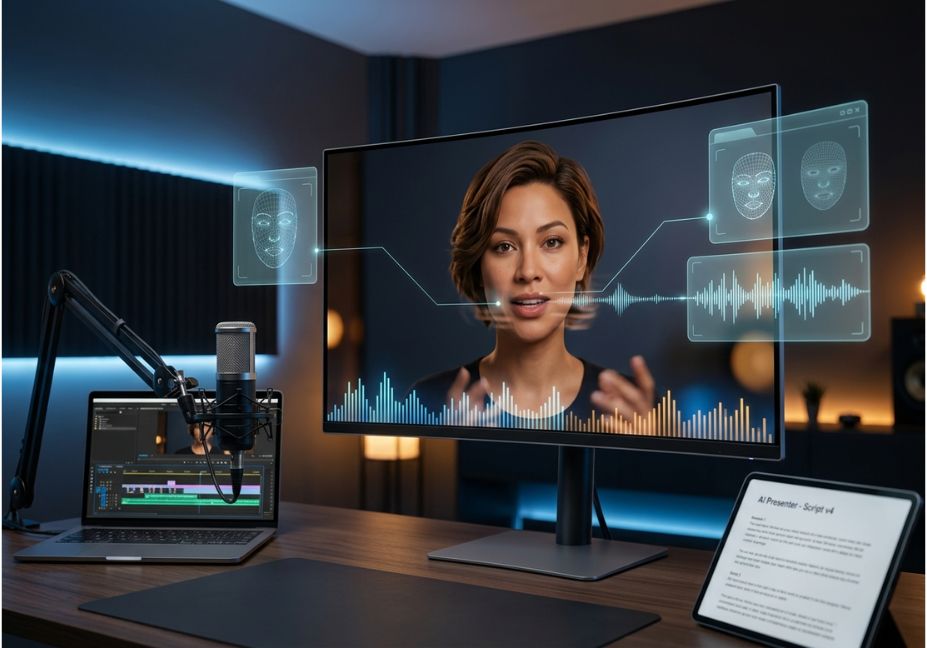
Most explainer videos fail for the same reason agent workflows fail in production: the pipeline looks fine in a demo and falls apart under real constraints. For AI avatar tools for explainer videos, that constraint is scale. A talking-head clip that looks flawless at 30 seconds can drift out of sync, flatten in emotion, or blur under motion once you’re producing a 40-slide onboarding series.
However, not all platforms fail the same way. A lifelike digital presenter, natural voiceover, and clean lip-sync accuracy now sit at the center of how businesses build product explainers without a camera crew and choosing between them means understanding where each one quietly breaks down.
Key Takeaways
- HeyGen leads on realism and voice cloning; Synthesia leads on enterprise scale and multilingual reach
- Lip-sync accuracy matters more than avatar photorealism a beautiful avatar with poor sync reads as more artificial, not less
- Pricing is typically tiered by render minutes, not seats, so cost tracks video volume
- Custom voice and face cloning from a short reference clip is now standard across most leading tools
- This is one of the strongest use cases for AI avatar video makers for corporate training, since dubbing avoids re-shooting with local presenters
What Are AI Avatar Tools for Explainer Videos?
AI avatar tools generate a synthetic on-screen presenter from a stock model, a photo, or a short clip of a real person that delivers scripted narration with lip-sync matched to a text-to-speech or cloned voice track. They fall under the broader category of synthetic media, and technically depend on models that map audio phonemes to facial motion.
For example, academic research on talking-head synthesis has repeatedly found that synchronization errors between lip movement and audio remain the core failure mode in this generation task. That’s exactly why lip-sync quality not just avatar photorealism is the metric worth scrutinizing when comparing tools like HeyGen, Synthesia, or D-ID.
How Do AI Avatar Explainer Tools Actually Work?
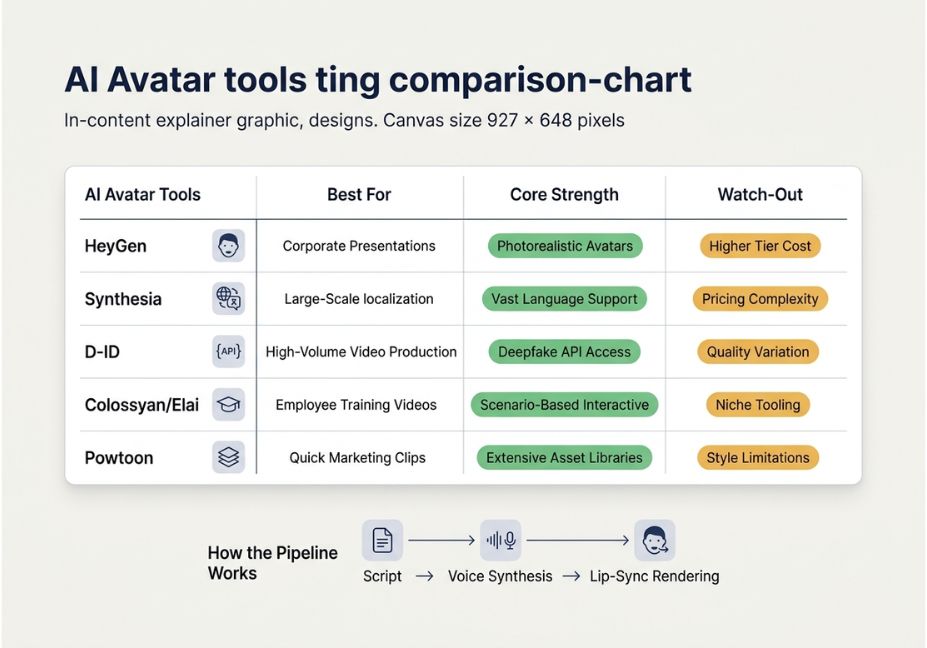
Under the hood, most platforms run the same three-stage pipeline:
- Script ingestion text or a document is converted into narration
- Voice synthesis a TTS engine (or a cloned voice model, similar in concept to ElevenLabs-style cloning) generates audio
- Face and lip rendering a talking-head model, often built on techniques descended from Wav2Lip-style lip-sync networks, animates the avatar to match the audio
Pro Tip: If you’re evaluating a tool, test it with a script containing plosive consonants (“b,” “p,” “m”) and fast speech. That’s where lip-sync models most commonly desync.
AI Avatar Explainer Video Use Cases 5 Real-World Examples
- Product onboarding walkthroughs SaaS teams turning release notes into a presenter-led walkthrough
- Sales outreach clips personalized, avatar-led video sent instead of a cold email
- Corporate training modules multilingual compliance training without re-shooting per region
- Paid-social product ads 15–45 second avatar-led hooks for ecommerce, a format Wyzowl’s research consistently ties to higher landing-page conversion
- Internal comms leadership updates without scheduling a live recording
Did You Know? Fortune Business Insights projects the AI video generation market to grow several times over by the early 2030s, driven mainly by demand for training and marketing content. That growth is a big part of why picking the right tool now rather than switching later matters.

Best AI Avatar Tools for Explainer Videos Comparison
| Tool | Best For | Strength | Watch-Out |
|---|---|---|---|
| HeyGen | Realism-first explainers | Strongest lip-sync accuracy and voice cloning from a short sample | Pricing scales fast with minutes rendered |
| Synthesia | Enterprise training at scale | Broad language support, structured enterprise workflow | Avatars can feel less expressive than newer tools |
| D-ID | Lightweight, API-driven use | Fast rendering, developer-friendly API | Less polish on longer-form narrative content |
| Colossyan / Elai | Mid-market training content | Good balance of cost and editing control | Smaller avatar libraries |
| Powtoon | Animated + avatar hybrid explainers | Templates plus avatars in one editor | Some avatar features are gated behind higher tiers |
Technical Note: Avatar realism and lip-sync accuracy are not the same axis. In other words, a tool can have a photorealistic avatar model with mediocre audio-visual alignment and that combination typically reads as more “uncanny” than a stylized avatar with tight sync.
Step-by-Step: How to Build an AI Avatar Explainer Video
- Write a script in short, spoken-language sentences dense written-English phrasing desyncs worse
- Choose or clone an avatar; custom clones generally sync better than stock avatars for your own script cadence
- Generate a TTS or cloned voice track and review pacing before rendering
- Render a short test clip first to check lip-sync on your specific script, not just the demo script
- Export in your target aspect ratio and add captions, since most explainer views happen with sound off
# Example: scripting cadence check before sending to an avatar tool
def flag_long_sentences(script, max_words=18):
    for line in script.split("."):
        words = len(line.split())
        if words > max_words:
            print(f"Consider shortening: {line.strip()[:60]}...")

flag_long_sentences(your_script)
Technical Disclaimer: Avatar platforms update their rendering engines frequently. Feature availability and lip-sync quality referenced here reflect tools as of mid-2026 always test on the current model version before committing to a production run.
Common Mistakes and How to Avoid Them
- Using written-style scripts instead of spoken cadence leads to unnatural pacing and worse sync
- Skipping the localization test an avatar that syncs well in English may lag behind in tonal languages
- Over-indexing on avatar photorealism as noted above, this backfires when sync quality is weak
- Not budgeting for render minutes costs scale with output length, not seat count, on most platforms
What Developers and Marketers Are Saying
Community threads, including developer discussion around avatar rendering artifacts, consistently point to the same complaint: sync quality degrades on fast or emotionally expressive speech, regardless of vendor. This lines up with research out of groups like Stanford HAI on generative video lip-sync remains an unsolved problem at the model level, not simply a product-polish issue.
FAQ People Also Ask
Which AI avatar tool has the most realistic output?
Tools built specifically around lip-sync and voice cloning from a short video sample currently produce the most realistic results, particularly on micro-expressions and mouth-shape accuracy. Stock-avatar platforms with broad enterprise features tend to be close behind but slightly less expressive.
Do I need an avatar tool or a full video production tool?
If your explainer is a person talking to camera, an avatar tool is enough. If it needs product animations, scene changes, or a cinematic arc, you need a broader video production platform layered on top.
Can I clone my own voice and face for an explainer video?
Yes. Most leading platforms support custom avatar and voice cloning from a short reference clip, typically one to two minutes, though quality and consent/verification steps vary by vendor.
What’s the best AI avatar tool if I just need explainer videos for training?
Synthesia is generally the strongest fit for training content, since it’s built for structured, multilingual, enterprise-scale production rather than short-form marketing clips.
How much do AI avatar tools typically cost?
Pricing is usually tiered by render minutes per month rather than flat seats, so cost depends heavily on video volume, not team size. Get current pricing directly from each vendor before budgeting, since tiers change often.
Are AI avatar videos good for multilingual training content?
Yes. This is one of the strongest use cases, since dubbing and lip-sync across languages avoids re-shooting with local presenters, though sync accuracy can vary more on tonal or fast-cadence languages.
Conclusion
The right AI avatar tool for explainer videos depends less on which avatar looks best in a demo and more on how well lip-sync and voice cloning hold up across your actual script cadence, language mix, and render volume. Ultimately, test with your own content before you commit not the vendor’s showcase script. For more hands-on comparisons of AI-driven content and workflow tools, keep exploring the guides on agentiveaiagents.com.



