
If you have ever thought, “I spend too much time on the same boring tasks,” you are not alone.
Many businesses waste hours every day doing things like:
- replying to the same customer questions,
- sending follow-up emails,
- updating spreadsheets,
- writing reports,
- moving info from one tool to another.
This is where Agentic AI comes in.
Agentic AI is not just a chatbot that talks. It can do steps to finish a job which you can check in agentic AI roadmap.
So… who buys it?
The short answer: The clients of Agentic AI are people and businesses who want to save time, reduce mistakes, and get more done without adding more stress.
In this guide, you’ll learn:
- what Agentic AI is (in simple words),
- who the clients of Agentic AI are,
- why they buy it,
- what tasks they use it for,
- how to start safely,
- and what to watch out for.
Let’s jump in.

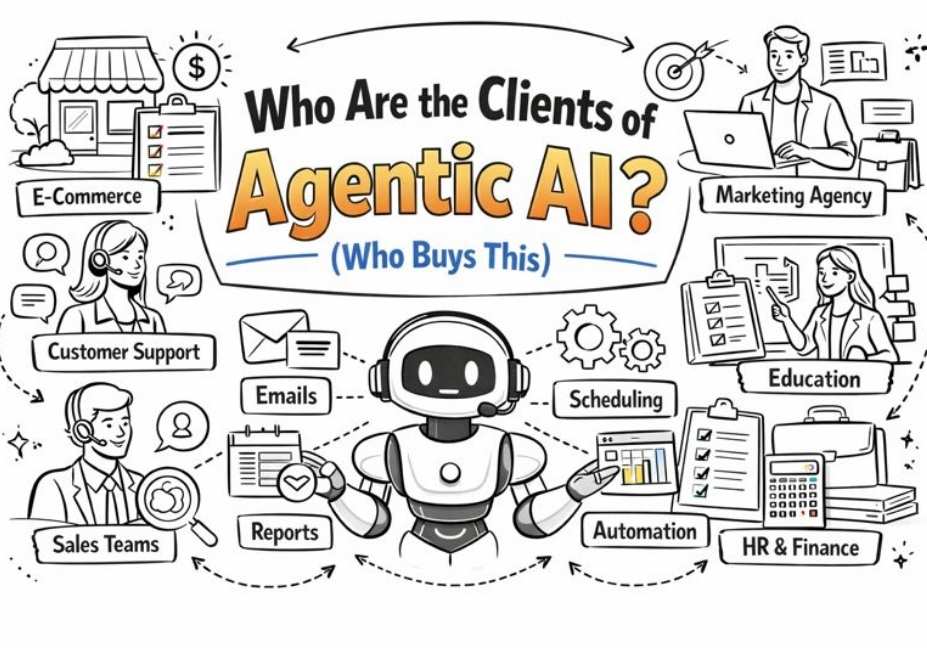
Who Buys Agentic AI?
The most common clients of Agentic AI include:
- Small businesses that need help doing many tasks at once
- Startups that want speed and growth with small teams
- Marketing agencies that manage content, reports, and campaigns
- Sales teams that need faster lead follow-ups
- Customer support teams that handle lots of tickets and chats
- E-commerce brands that deal with orders, returns, and customer emails
- HR teams that do hiring, screening, and scheduling
- Finance and operations teams that track tasks, invoices, and reports
- Large enterprises that want smarter workflows across many tools
If your work has repeated steps, too many tabs, and too many follow-ups… you are likely a good fit.
What Is Agentic AI?
Let’s keep it super easy.
Normal AI vs Agentic AI
Normal AI is like a smart helper that answers questions.
You ask:
“Write an email.”
It writes an email.
That’s useful. But it still needs you to do everything else.
Agentic AI is like a helper that can take action.
You ask:
“Send a follow-up email to new leads, add them to my CRM, and remind me if they don’t reply.”
It can do that job in steps.
What does “agentic” mean?
Think of an “agent” as someone who can run errands.
Agentic AI can:
- plan a task,
- do the steps,
- check progress,
- and finish the job (often with your approval).
Simple example
Imagine you sell products online.
A normal AI can write a return policy.
Agentic AI can:
- read your return messages,
- sort them by urgency,
- draft replies,
- update order status,
- and send updates (with your OK).
That’s why businesses want it.
|| Also read Vector Store in Agentic AI: How Smart AI Remembers and Thinks
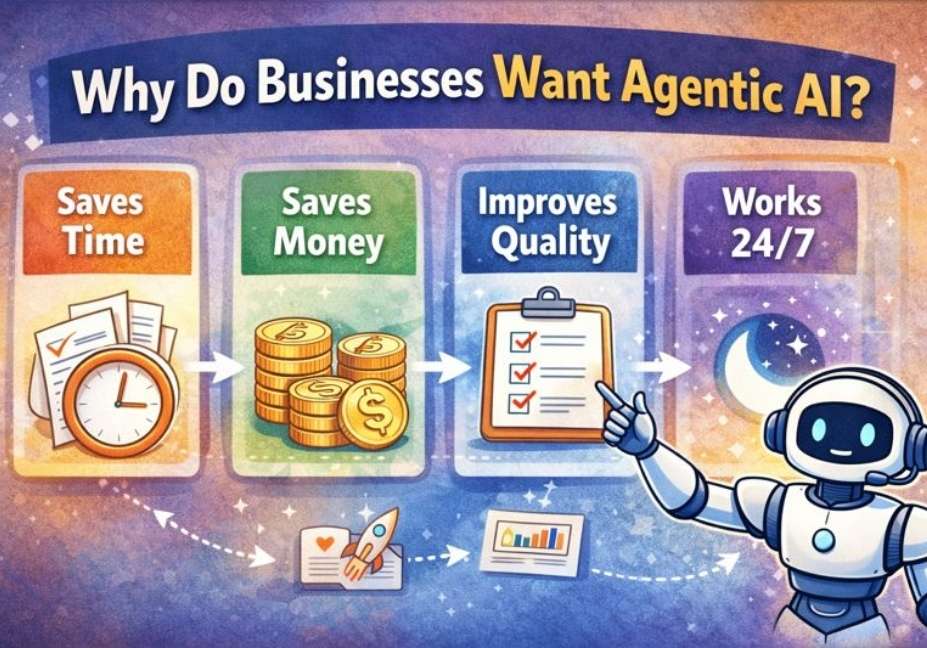
Why Clients Want Agentic AI?
Most clients of Agentic AI are not buying “cool tech.”
They are buying relief.
Here are the top reasons.
1) It saves time
People are tired of work that feels like copy-paste.
Agentic AI can handle:
- repeated emails,
- routine updates,
- daily summaries,
- and admin tasks.
2) It reduces mistakes
Humans make mistakes when they are tired or rushed.
Agentic AI can follow the same rules every time.
Example:
- “Always confirm the order ID.”
- “Never promise refunds without approval.”
- “Escalate angry customers to a manager.”
3) It helps teams move faster
A small team can feel like a big team when the boring tasks are handled.
4) It helps follow-up happen on time
Many businesses lose money because they forget to follow up.
Agentic AI can:
- remind,
- schedule,
- and keep things moving.
5) It helps with “too many tools”
Modern work uses many apps:
- CRM
- spreadsheets
- chat tools
- project boards
Agentic AI can connect workflows across them.
The Main Clients of Agentic AI (By Industry)
Let’s talk about real buyers.
1) E-commerce brands and online stores
If you sell online, you know the pain:
- “Where is my order?”
- “Can I return this?”
- “Can you change my address?”
- “My package is late!”
These are repeated questions.
Clients of Agentic AI in e-commerce use it for:
- order status updates,
- return and refund workflows,
- customer replies,
- product listing checks,
- and tracking inventory alerts.
Simple use case:
The agent reads incoming emails → finds order number → checks shipping tool → drafts a reply → asks for approval → sends.
This saves hours.
2) Marketing teams and marketing agencies
Marketing has many moving parts:
- content writing,
- SEO checks,
- briefs,
- reports,
- competitor research,
- campaign summaries.
Agency owners often feel like they are drowning in tasks.
That is why many agencies are strong clients of Agentic AI.
They use agents for:
- content planning,
- SEO audits,
- weekly/monthly reports,
- summarizing analytics,
- and creating campaign checklists.
Simple use case:
Agent pulls website traffic numbers → compares to last week → writes a simple summary → highlights problems → suggests next steps.
This helps agencies look sharp to clients.
3) Sales teams (B2B and B2C)
Sales is all about:
- speed,
- follow-up,
- and staying organized.
But sales teams often:
- forget follow-ups,
- write weak emails,
- or miss key info.
So many sales teams become clients of Agentic AI.
They use it for:
- lead research,
- email follow-up sequences,
- meeting summaries,
- CRM updates,
- and proposal drafts.
Simple use case:
Agent finds lead on LinkedIn → notes company info → drafts a personalized email → sets reminders → updates CRM after replies.
This helps close deals faster.
4) Customer support teams
Support teams deal with:
- lots of tickets,
- repeated questions,
- and angry customers.
Agentic AI can help by:
- sorting tickets by topic,
- tagging priority tickets,
- drafting replies,
- and sending urgent issues to a human.
Important: good teams keep “human approval” for sensitive messages.
This keeps the brand safe.
Support teams are some of the biggest clients of Agentic AI because the value is clear and immediate.
5) HR and recruiting teams
Hiring takes time:
- reviewing resumes,
- scheduling interviews,
- sending updates,
- and answering candidate questions.
Recruiters often have too many emails.
Agentic AI can:
- summarize candidates,
- schedule interviews,
- send polite update emails,
- and organize hiring steps.
That is why HR teams are growing clients of Agentic AI.
6) Finance and accounting teams
Finance teams don’t want “fun.” They want:
- accuracy,
- clear records,
- and fewer messy tasks.
Agents can help with:
- invoice reminders,
- expense sorting,
- report drafts,
- and data checks.
Example:
Agent collects invoices → lists what is unpaid → drafts reminder emails → creates a summary for the manager.
Finance teams still review numbers, but the agent helps speed up the workflow.
7) Real estate teams
Real estate is full of follow-ups:
- new leads,
- scheduling viewings,
- property questions,
- and listing updates.
Agents can:
- reply to basic questions,
- schedule showings,
- draft listing descriptions,
- and send reminders.
Real estate teams are practical clients of Agentic AI when they are busy.
8) Healthcare admin (non-medical tasks)
Let’s be careful here.
I’m talking about admin work, not medical decisions.
Agentic AI can help with:
- appointment reminders,
- basic scheduling questions,
- form instructions,
- and general communication templates.
This reduces staff stress while keeping medical work handled by professionals.
9) Operations and logistics
Operations teams run daily checklists:
- shipments,
- vendor updates,
- reporting,
- and tracking issues.
Agentic AI can:
- monitor updates,
- send alerts,
- create daily summaries,
- and follow up with vendors.
This makes operations smoother.
Clients of Agentic AI by Company Size
Not every buyer is the same. Company size changes needs.
Small business clients
Small businesses often want:
- “help me handle everything.”
They may not have big budgets, but they have big pain.
Common needs:
- inbox management,
- appointment bookings,
- customer follow-ups,
- basic marketing help.
Best first use case:
an agent that sorts messages and drafts replies.
Mid-size business clients
Mid-size companies often want:
- “help my teams work faster.”
They have departments, but they may still have manual work.
Common needs:
- support workflows,
- sales workflows,
- reporting,
- and cross-tool updates.
Enterprise clients
Large companies want:
- “connect systems safely.”
They care a lot about:
- permissions,
- compliance,
- audit logs,
- approvals,
- and security.
Enterprise clients of Agentic AI often roll out agents slowly, then expand.
What Do Clients Usually Ask For? (Buying Checklist)
When people buy agentic systems, they usually ask for the same core things.
Top tasks clients want agents to handle
- Lead follow-up
- Customer support triage
- Scheduling and reminders
- Weekly reporting and summaries
- CRM updates
- Simple document drafting (emails, briefs, SOPs)
- Data cleanup (tags, categories, labels)
Must-have features clients look for
- Tool integrations (email, CRM, sheets, calendar)
- Human approval steps (“review before send”)
- Access control (who can see what)
- Clear logs (what the agent did and when)
- Easy setup and support
If a tool doesn’t offer control and safety, buyers get nervous fast.
Signs You Are the Right Client for Agentic AI
Let’s make this super practical.
You should consider buying if…
- You repeat the same tasks every day
- You miss leads because follow-up is slow
- Your support inbox is overflowing
- Your team spends hours making reports
- You use many tools that don’t connect well
- You want more consistency in communication
You should wait if…
- Your processes are unclear
- Your data is messy and unorganized
- You don’t have time to review early outputs
- You expect “magic” with zero setup
Agentic AI works best when you have:
- clear steps,
- clear rules,
- and someone who checks results at first.
|| Also read AI Agent Debugger: The Ultimate Tool to Fix AI Agent Scripts Easily
Real Examples: How Clients Use Agentic AI (Simple Stories)
Stories help you “see” it.
Example 1: A sales follow-up agent
Problem: Leads come in, but follow-ups are slow.
Result: People forget, and deals die.
Agent steps:
- Reads new lead form entries
- Checks lead type (hot/warm/cold)
- Drafts a follow-up email
- Creates a reminder for day 2 and day 5
- Updates CRM with notes
Why it helps:
No more “oops, we forgot to reply.”
Example 2: A customer support sorting agent
Problem: Support tickets are too many.
Result: Customers wait and get angry.
Agent steps:
- Tags tickets (refund, shipping, tech, urgent)
- Drafts a reply for simple questions
- Escalates urgent ones to humans
- Creates a daily summary for the manager
Why it helps:
Faster replies and less stress.
Example 3: A marketing reporting agent
Problem: Weekly reports take hours.
Result: Marketing feels stuck in spreadsheets.
Agent steps:
- Pulls numbers from analytics tools
- Compares to last week
- Highlights what changed
- Writes a clear summary
- Suggests next steps (“Test new ad copy”)
Why it helps:
Marketing spends time on action, not copying numbers.
How to Start With Agentic AI (Step-by-Step)
Most people fail because they try to automate everything at once.
Start small.
Step 1: Pick ONE job
Choose something repeated and simple, like:
- follow-up emails,
- sorting support tickets,
- or weekly reporting.
Step 2: Write the steps like a checklist
Example:
- Check customer name
- Check order number
- Confirm shipping status
- Draft reply
- Ask for approval
- Send
Step 3: Pick tools the agent can access
Common ones:
- Gmail or Outlook,
- Google Sheets,
- CRM like HubSpot,
- Slack,
- Trello/Asana,
- helpdesk tools.
Step 4: Add safety rules
Good safety rules:
- “Never send refunds without manager approval.”
- “Never share private info.”
- “If confused, ask a human.”
Step 5: Test with real tasks (but low risk)
Run it on:
- old tickets,
- test leads,
- or internal emails.
Step 6: Track results
Measure:
- hours saved,
- faster replies,
- fewer missed leads,
- improved customer satisfaction.
This is how real clients of Agentic AI get value quickly.
Costs: What Clients Pay For Agentic AI (Simple and Honest)
Prices can vary a lot, so instead of guessing numbers, here’s what affects cost.
What pricing depends on
- How many agents you need
- How many tools it connects to
- How much setup and training is needed
- Your security requirements
- How custom the workflows are
Common ways clients buy it
- Subscription tools (fast start, lower setup)
- Custom build (more control, more setup)
- Hybrid (platform + custom workflows)
If you’re a small business, start with a simple setup first. Many buyers do.
Risks and Safety (Clients Ask This a Lot)
Smart buyers ask: “What can go wrong?”
Here are real concerns.
Common concerns
- The agent sends the wrong message
- The agent uses the wrong data
- Private info is exposed
- The agent makes confident mistakes
How clients reduce risk
- Human-in-the-loop approvals: drafts are reviewed before sending
- Limited permissions: agent only sees what it needs
- Clear rules and guardrails: “If unsure, escalate”
- Audit logs: track what happened
- Monitoring: check performance weekly
The best clients of Agentic AI treat it like a junior helper at first:
- it helps a lot,
- but it still needs supervision early on.
FAQ
Who are the clients of Agentic AI?
The clients of Agentic AI are businesses and teams that want to save time and reduce repeated work. Common buyers include e-commerce stores, marketing agencies, sales teams, customer support teams, HR teams, operations teams, and large companies that want smarter workflows.
What industries use Agentic AI the most?
Industries with lots of repeated communication and data work use it most. Examples include e-commerce, marketing, customer support, sales, HR, finance operations, and logistics.
Is Agentic AI only for big companies?
No. Small businesses and startups often benefit a lot because they have small teams and many tasks. The key is to start with one clear workflow and grow from there.
What is the difference between AI agents and chatbots?
A chatbot mainly talks and answers questions. An AI agent can also take steps to finish a task, like updating a CRM, sending a follow-up, scheduling meetings, or creating reports.
What is the best first use case to start with?
A good first use case is something simple and repeated, like sorting customer messages, drafting replies, sending follow-ups, or making weekly summaries. Start small, then expand.
How do clients measure success?
They measure time saved, faster response speed, fewer missed follow-ups, better consistency, and improved customer satisfaction. Some also track higher conversions and lower support costs.
Final Summary: Who Buys Agentic AI?
Let’s wrap it up in simple words.
The clients of Agentic AI are people and businesses who want help doing repeated tasks faster and better.
Common clients include:
- e-commerce stores,
- marketing agencies,
- sales teams,
- customer support teams,
- HR and recruiting teams,
- finance and operations teams,
- startups,
- and large enterprises.
They buy it to:
- save time,
- reduce mistakes,
- follow up faster,
- and connect workflows across tools.
Simple next step
If you want to try Agentic AI, don’t start with everything.
Pick one painful job.
Write the steps.
Add safety rules.
Test.
Then grow.