
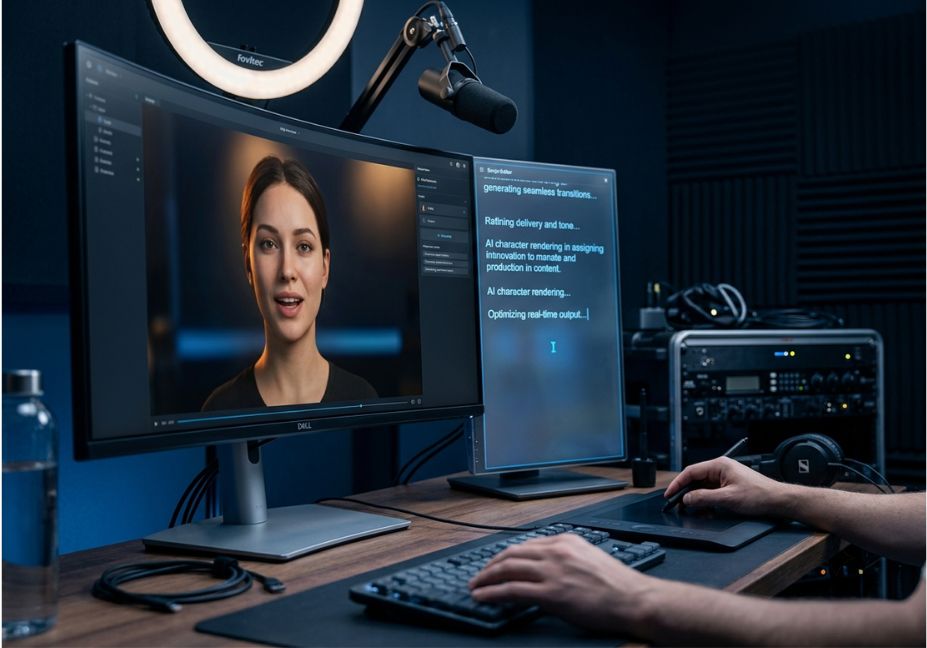
Most video teams don’t fail because their avatar looks fake. They fail because the script was written in one tool, pasted into a second tool, and never adjusted for how a synthetic presenter delivers a line. As a result, AI avatar tools with integrated scriptwriting assistance exist specifically to close that gap. Instead of treating the script and the on-screen delivery as separate jobs, these platforms connect them into a single pipeline.
That distinction matters more than it sounds. A script tuned for reading is not automatically a script tuned for speaking. Because of this, the handoff between writing and rendering is exactly where most “AI video” output starts to feel stiff.
This guide skips the vendor pitch. Instead, it evaluates the category the way you’d evaluate any production pipeline: architecture first, cost second, output quality third.
What Are AI Avatar Tools with Integrated Scriptwriting Assistance?
In short, AI avatar tools with integrated scriptwriting assistance are platforms that generate a spoken-ready script and a synthetic presenter video inside a single workflow. The script is written with pacing, hooks, and delivery constraints in mind, rather than as a generic block of text handed off to an avatar afterward.
This is the core of the modern synthetic media pipeline: a large language model such as OpenAI’s GPT-4 drafts the script, and the same system renders it through voice synthesis and avatar animation without a manual export-and-import step in between.
In other words, the gap between “has a text box” and “is genuinely integrated” is the single biggest quality signal in this category. It’s also the one most comparison articles skip entirely.
How Does the Script-to-Avatar Pipeline Actually Work?
Under the hood, these platforms chain three components together. First, a language model handles drafting and editing. Second, a neural voice synthesis engine converts text to speech. Third, a diffusion or rendering model animates lip movement and gesture to match the audio track.
Pro Tip: When evaluating a tool, ask specifically what happens when you edit a line after the avatar is generated. If the platform re-renders only the changed segment instead of the full clip, the script and avatar are genuinely coupled not just sequenced.
- Draft stage: GPT-4-class models Colossyan uses GPT-4 directly generate an outline or full script from a prompt or brief.
- Refinement stage: Tone, pacing, and length adjust inline, based on target length and platform (short-form versus training module).
- Render stage: Text-to-speech and lip-sync render the final take. On more mature platforms, iteration re-runs only the affected segment.
Technical Note: Framework and feature availability shift quickly in this space. Some vendors have restructured pricing tiers more than once in the past year. Therefore, treat every plan name and price below as a snapshot, and confirm current terms on the vendor’s site before buying.
Real-World Use Cases: Who Actually Needs This?
The category splits along a few clear use cases. Picking the wrong one for your situation is the most common reason teams abandon a platform within 90 days.
- Corporate training and onboarding SCORM export and quiz branching matter more here than avatar realism.
- Marketing and social video script pacing for hooks and retention matters more than multilingual depth.
- Sales enablement and personalized outreach voice cloning and per-record variable insertion (name, company, product tier) drive the ROI case.
- Internal communications consistency across long-form video matters more than expressive gesture range.
- Small business and solo creators for this group, the best AI avatar tool with scriptwriting for a small business is usually the one with the lowest per-minute cost at low volume, not the most feature-rich one.
Meanwhile, the broader enterprise AI video generation market has moved past the pilot phase in 2026. Procurement teams now compare platforms on governance and integration depth rather than novelty. Consequently, several vendors have started publishing clearer SOC 2 and GDPR compliance documentation than they did even a year ago.
Did You Know? Independent buyer research from FitGap’s 2026 enterprise evaluation found real variance in how platforms handle scale. Some are built for GUI-first content teams, while others expose a REST-first architecture designed for CRM- or LMS-triggered rendering.
Best Tools Compared
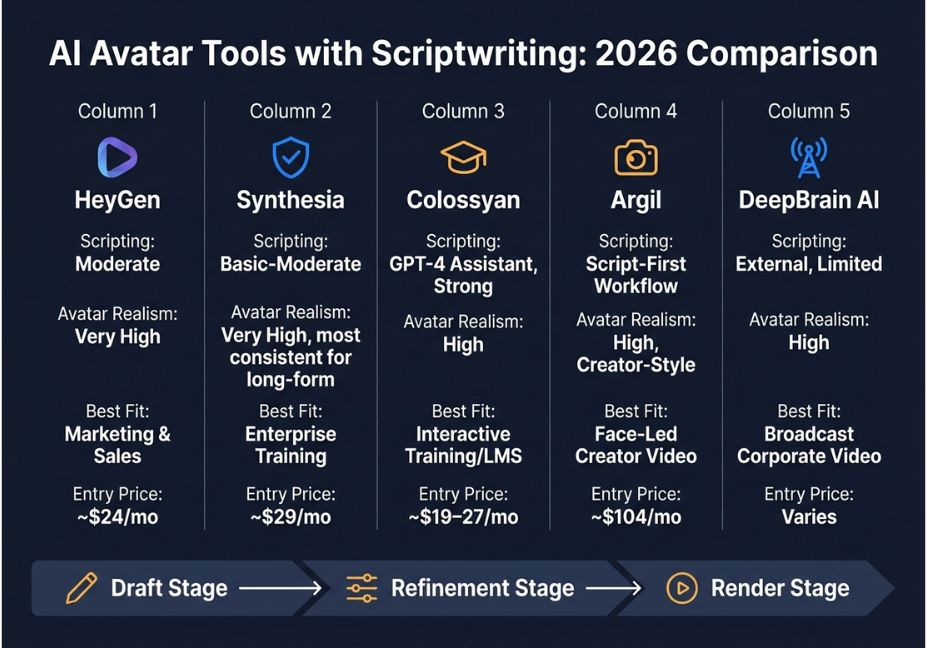
No single platform wins every axis. Instead, here’s how the leading options stack up on the factor that actually predicts satisfaction: how central the script is to the workflow, not just whether a script box exists.
| Platform | Scripting depth | Avatar realism | Best fit | Entry pricing (2026) |
|---|---|---|---|---|
| HeyGen | Script assistant, moderate | Very high (Avatar IV) | Marketing, SMB, sales outreach | ~$24/mo |
| Synthesia | Script editor, basic-to-moderate | Very high, most consistent long-form | Regulated enterprise training | ~$29/mo |
| Colossyan | GPT-4 script assistant, strong for L&D | High | Interactive training, SCORM/LMS | ~$19–27/mo |
| Argil | Script-first workflow (script drives the avatar) | High, creator-style | Face-led creator video | ~$104/mo (cloning) |
| DeepBrain AI | Present, but scripting often happens externally | High | Broadcast-style corporate video | Varies by plan |
Architect’s Note: If your team already runs prompt-based content pipelines elsewhere, check whether a platform exposes an API for the scripting step, not just the render step. That’s what lets you trigger video generation from an existing pipeline instead of operating the tool by hand. Review sites like G2 are a reasonable second check on real-world satisfaction beyond vendor claims.
Step-by-Step: Building Your First Script-to-Avatar Workflow
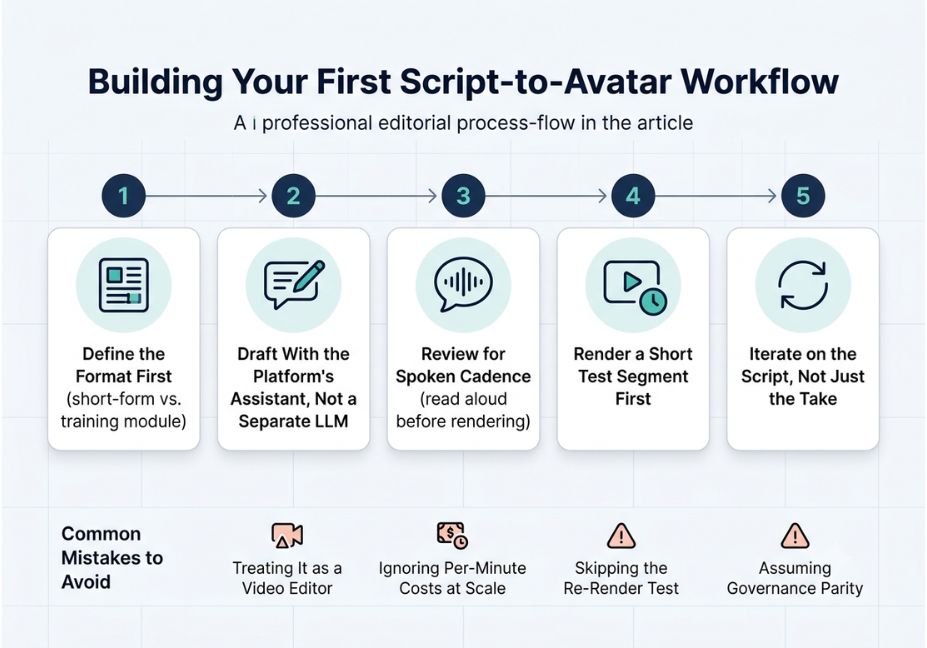
- Define the format first. A 30-second social clip and a 12-minute training module need different pacing, so pick the platform’s template accordingly.
- Draft with the platform’s built-in assistant, not a separate LLM. A script written elsewhere and pasted in loses the platform’s delivery-aware formatting.
- Review for spoken cadence. Read it aloud once before rendering. Long subordinate clauses that read fine on a page often sound wrong through a synthetic voice.
- Render a short test segment before committing to a full-length take, especially on plans with limited monthly minutes.
- Iterate on the script, not just the take. If delivery feels off, adjust word choice and sentence length first, since most avatar engines can’t fully compensate for an over-written script.
Common Mistakes and How to Avoid Them
- Treating the avatar tool as a video editor for a finished script. This is the biggest gap between “has scripting” and “integrated scripting” the latter assumes the script isn’t finished until it’s shaped for delivery.
- Ignoring per-minute costs at scale. Entry pricing looks similar across platforms, but costs diverge sharply once a team renders 60-plus minutes a month.
- Skipping a re-render test. Some platforms re-render an entire clip for a one-word edit, which quietly kills iteration speed for teams that revise often.
- Assuming governance parity. Newer entrants into conversational video editing tools, including recent API-based enterprise releases from major model providers, are starting to close this gap. That said, compliance documentation still varies widely by vendor as of mid-2026.
What Teams and Creators Are Saying
Independent testers who’ve run the same script across multiple platforms consistently report the same finding. Scripts written by a general-purpose chatbot and pasted into an avatar tool read fine on the page but sound off once spoken sentences run long, pacing drifts, and transitions feel mechanical. This is exactly the gap integrated scriptwriting is designed to close, and it remains the most reliable way to tell genuine integration from a bolted-on text box.
FAQ People Also Ask
What are AI avatar tools with integrated scriptwriting assistance?
They’re platforms that generate a spoken-ready script and a synthetic presenter video in one workflow, so the script is shaped for delivery pacing, hooks, tone instead of written generically and pasted in afterward.
What is the best AI avatar generator with scriptwriting right now?
There’s no single winner. HeyGen suits marketing and sales outreach, Synthesia and Colossyan suit regulated training and L&D, and Argil suits creator-style, face-led content.
Which AI avatar tool writes the script for you automatically?
Colossyan and HeyGen both generate a complete draft script from a short prompt, then let you refine tone and pacing before rendering the avatar.
Can AI scriptwriting assistants check grammar, tone, and structure?
Yes. Most integrated assistants adjust tone, tighten grammar, expand bullet points into full sentences, and reformat a script for a target audience or platform.
Do integrated tools actually improve engagement over a separate writer-plus-editor workflow?
Mainly, they improve iteration speed and delivery cohesion. Engagement still depends on the underlying message and hook quality the tool removes friction, not the need for a good idea.
Is pasting a script into an avatar tool the same as “integrated” scriptwriting?
No. True integration means the script is generated with the avatar’s delivery in mind from the start, and editing that script triggers a targeted re-render rather than a full manual restart.
Conclusion
The category has matured past “does it have a script box.” What separates a genuinely integrated platform from a bolted-on one is whether the script is written with delivery in mind, and whether editing it is fast rather than a full restart. So, match the platform to your actual format training, marketing, or creator-style video before comparing avatar realism, and price it at your real monthly volume, not the entry tier.
Bookmark this guide before committing to a plan. Pricing and features in this space shift fast enough that it’s worth a re-check before renewal.



