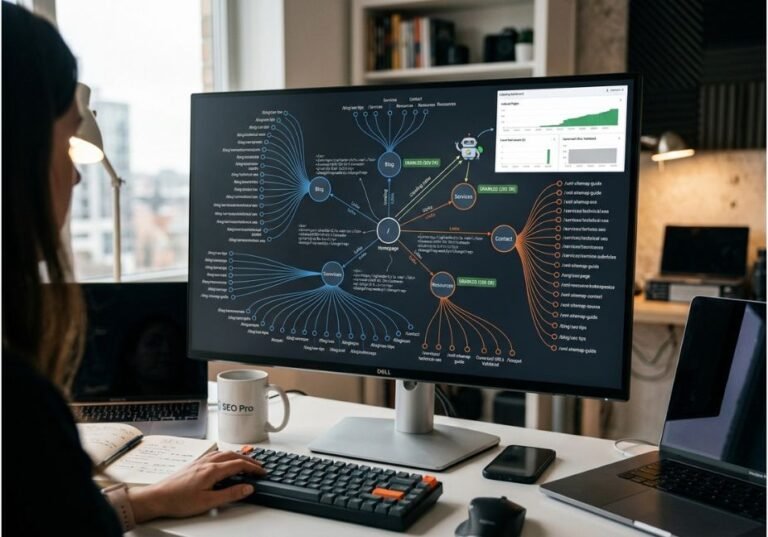
Most AI-generated avatar videos still look like a static talking head bolted onto a slide deck. The gap between “avatar that speaks” and “video that flows” almost always comes down to one feature: transitions. In fact, a 2026 wave of funding into video-generation startups shows just how much demand exists for this. PixVerse, for example, recently raised $439 million at a valuation past $2 billion, and rivals like Google’s Veo and Alibaba’s video models are racing to close the same gap.
AI avatar tools with custom transitions let creators define exactly how an avatar’s video moves from one scene, background, or emotional beat to the next. This could be a cut, a cross-fade, a camera push, or a scripted gesture change, instead of one continuous static shot for the whole video. As a result, this matters for anything longer than a 15-second clip: onboarding videos, product demos, multilingual training content, and short-form social ads for TikTok or YouTube Shorts all live or die on pacing.
So, this guide breaks down how transition logic actually works, compares the platforms that handle it best, and walks through building a multi-scene avatar video from a script including how to search for the best AI avatar generator with automatic scene transitions for your specific workflow.
What Are AI Avatar Tools With Custom Transitions?
An AI avatar tool is a platform that generates a talking-head video a digital presenter with synced lip movement, facial expression, and voice directly from a script, audio clip, or reference photo. “Custom transitions,” meanwhile, refers to the layer on top of that: control over how the video cuts or blends between scenes, backgrounds, or camera angles, rather than locking you into one continuous shot.
This falls under the broader category of synthetic media, which is digital content in formats like text, image, and video that has been automatically or artificially produced. Generative AI has expanded this category quickly since 2023, and avatar generation with transitions is one of its fastest-growing commercial applications, alongside AI text-to-speech and deepfake-adjacent video synthesis tools.
Did you know? Independent testing across major platforms found that transition quality, not avatar realism alone, is now the biggest differentiator between “corporate stiff” and “professional” AI video output. That’s because viewers tend to tolerate an imperfect face far more than a jarring cut.
How Do Custom Transitions Work in AI Avatar Video Tools?
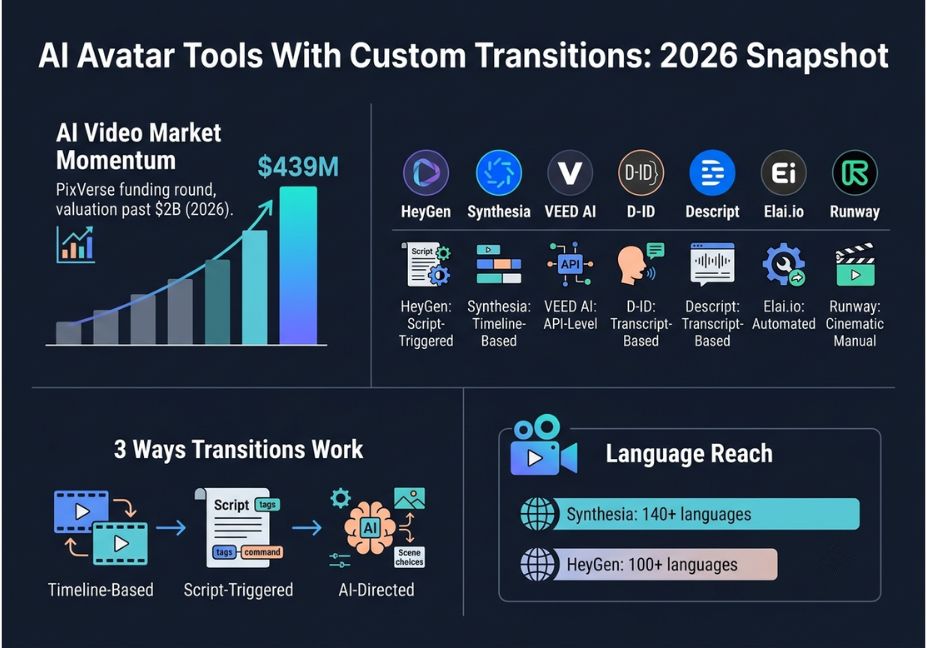
Transitions in avatar tools are handled in one of three ways. First, there’s manual control; then, script-based automation; and finally, full AI direction.
- Timeline-based transitions you manually place scene breaks on a timeline and pick a transition style (cross-fade, wipe, push) between each segment, similar to a traditional editor like Adobe Premiere Pro or CapCut.
- Script-triggered transitions the platform reads structural cues in your script, such as a new paragraph, heading, or a bracketed cue like
[cut to product demo], and generates a transition automatically at that point. - AI-directed transitions a model analyzes pacing, emotional tone, and content type, then selects and times transitions on its own, adjusting cut speed and background changes to match the energy of the script.
For instance, a simplified transition config the kind several platforms expose through their editor or API looks like this:
json
  "scene_1": { "avatar": "presenter_a", "background": "office", "duration_s": 12 },
  "transition": { "type": "cross_fade", "duration_ms": 500, "trigger": "script_marker" },
  "scene_2": { "avatar": "presenter_a", "background": "product_demo", "duration_s": 18 }
Technical note: Transition timing directly affects lip sync accuracy. Fast cuts mid-sentence can desynchronize audio and mouth movement for a frame or two. Because of this, better platforms buffer the transition to land on a natural pause in the script rather than cutting mid-word.
Best AI Avatar Tools With Custom Transitions Feature Comparison
| Tool | Transition Control | Avatar Source | Languages | Best For |
|---|---|---|---|---|
| HeyGen | Script-triggered + timeline scene layering | Webcam clone, photo, stock library | 100+ | Fast social/marketing videos, YouTube Shorts and TikTok |
| Synthesia | Timeline-based scene builder | Stock avatars, custom digital twin | 140+ | Corporate training at scale |
| VEED AI | Dedicated automated scene-transition tool | Stock avatars | Multiple | Combining avatar footage with B-roll clips |
| D-ID | API-level transition control | Photo-to-video avatar | Multiple | Developers building custom apps |
| Descript | Transcript-based editing (edit video like text) | Stock + custom avatars | English-first | Internal comms, fast iteration |
| Elai.io | Auto-selected backgrounds and transitions | Script-to-avatar | Multiple | Marketing and educational content |
| Runway | Manual, cinematic (motion brush, inpainting) | Stylized/generative avatars | N/A | Creative, non-corporate video |
Pricing ranges from free tiers with limited daily credits up to several hundred dollars a month for enterprise seats with API access, voice cloning, and unlimited export minutes. Consequently, the “best” tool depends less on avatar realism and more on how your team scripts and paces content.
Pro tip: If your workflow needs to combine avatar narration with external footage or graphics in the same video, prioritize tools with a dedicated scene-transition engine, such as VEED or Elai.io, over pure avatar generators. Otherwise, bolting transitions on afterward in a separate editor adds a full production step back into a process meant to remove it.
It’s also worth noting that the broader AI video-generation market has grown volatile enough that some well-funded entrants, including OpenAI’s Sora, have already been discontinued or paused. Therefore, it’s worth weighing platform stability before committing a workflow to any single vendor’s API.
Step-by-Step: How to Add Custom Transitions to an AI Avatar Video
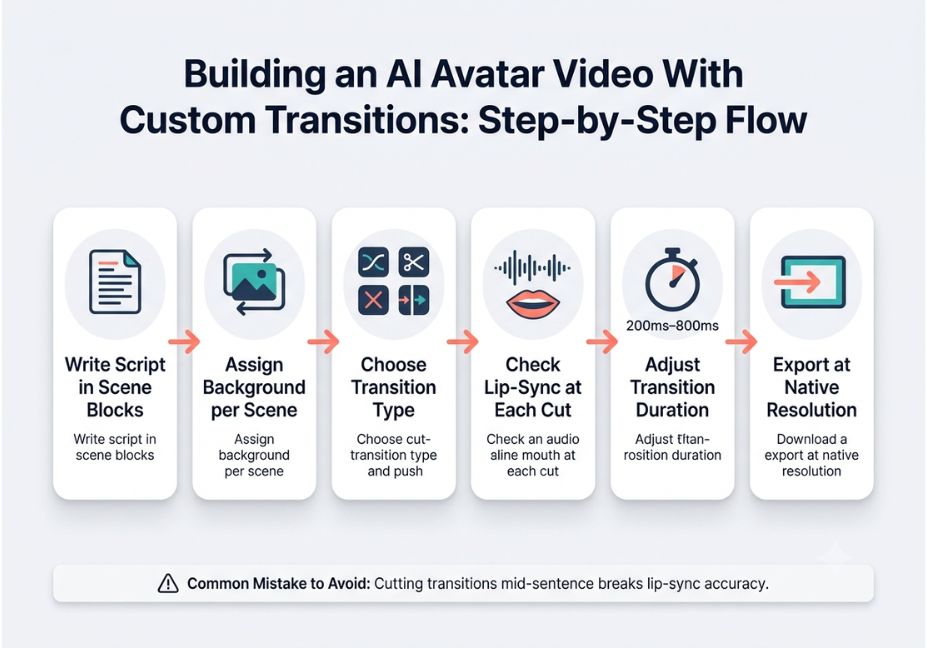
- Write the script in scene blocks. Break your script into discrete sections intro, demo, close rather than one continuous paragraph, since most transition engines key off these breaks.
- Assign a background or camera angle per scene. Even a simple background swap, like office to product screen, reads as a scene change to the transition engine.
- Choose a transition type per cut. Cross-fades read as calm and professional; hard cuts read as energetic; camera pushes work well for product reveals.
- Generate a draft and check lip-sync at each transition point. Scrub to every scene boundary specifically, because that’s where audio drift is most likely to appear.
- Adjust transition duration, not just style. A 200ms cut and an 800ms cross-fade communicate very different pacing, even with the same transition type selected.
- Export at platform-native resolution rather than upscaling afterward, since most tools optimize encoding for their own preview resolution.
Common Mistakes and How to Avoid Them
- Cutting transitions mid-sentence. Always align scene breaks with natural pauses in the script, not arbitrary timestamps.
- Overusing dramatic transitions. Wipes and zooms every few seconds read as amateur, so reserve them for genuine scene changes.
- Ignoring background continuity. Wardrobe or lighting mismatches between “adjacent” scenes break immersion faster than an imperfect transition style.
- Skipping mobile preview. Transitions that look smooth at desktop resolution can appear jarring once cropped to a vertical social format.
- Treating avatar realism as the only quality metric. Pacing and transition timing influence perceived professionalism just as much as facial fidelity does.
What Creators and Businesses Are Saying
Across independently verified user reviews on G2, HeyGen users consistently highlight ease of use and realistic avatars, although some note that credit-based pricing limits frequent use. Synthesia users, on the other hand, tend to praise responsive customer support alongside broad language coverage, which reflects its enterprise training focus over social-content speed.
The practical takeaway from developer and creator discussions is that no single tool wins on every dimension. Teams producing high volumes of short social content generally favor script-triggered transition tools, while teams producing longer training or onboarding series favor timeline-based control instead.
FAQ People Also Ask
What are AI avatar tools with custom transitions?
They’re AI video platforms that generate a talking avatar from a script and let you control how the video moves between scenes, backgrounds, or camera angles instead of using one static shot for the whole video.
How do I customize transitions in an AI avatar video?
Most platforms offer a transition menu cross-fade, wipe, cut, push applied at each scene boundary on a timeline, plus adjustable duration. Some also support script-triggered or fully automated transition placement.
Which AI avatar tool has the best scene transitions?
It depends on your workflow. VEED AI and Elai.io focus on dedicated automated transitions, HeyGen blends script-triggered scene changes with fast turnaround, and Descript offers transcript-based editing for rapid iteration.
Are AI avatar tools with custom transitions free to use?
Most offer a limited free tier with daily credits or a set number of export minutes. However, paid plans are usually required for longer videos, voice cloning, and full transition customization.
Do transitions affect lip-sync accuracy in AI avatar videos?
Yes. Cutting a transition mid-word can cause brief audio-visual drift. That’s why better platforms buffer transitions to land on natural pauses in the script rather than an arbitrary timestamp.
What’s the best free AI avatar generator with scene transitions?
HeyGen and VEED AI both offer usable free tiers with basic transition controls, though export limits and watermarks typically apply until you upgrade.
Conclusion
Custom transitions are what separate a usable AI avatar video from a professional one; the underlying avatar realism matters less than most marketing pages suggest. To summarize: match the transition approach script-triggered, timeline-based, or fully automated to your production volume. Fast social content favors automation, while structured training series favor manual timeline control. Bookmark this guide and explore more hands-on AI tool comparisons at agentiveaiagents.com.