
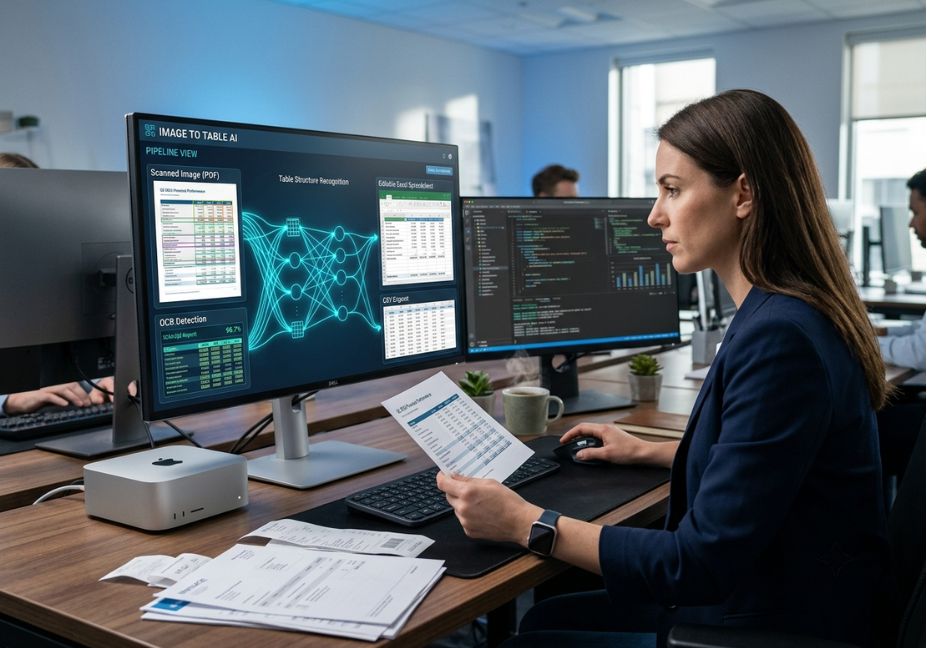
Most “convert image into table AI tool” roundups compare upload buttons, not models. That’s a problem, because the tool you pick determines whether a screenshot of a financial report turns into a clean, machine-readable table or a spreadsheet full of silently shifted numbers. Vision-language models (VLMs) have pushed table extraction well past classic OCR, but they’ve also introduced a new failure mode: fluent-looking output that’s wrong in ways a human reviewer won’t catch on a quick skim.
If you’re building this into a document pipeline not just doing a one-off conversion the choice of extraction engine matters as much as the choice of retrieval-augmented generation (RAG) framework sitting downstream of it. This guide breaks down how image-to-table conversion actually works under the hood, where it fails, and how to wire it into an agentic workflow instead of a manual copy-paste step.
What Is Image-to-Table Extraction?
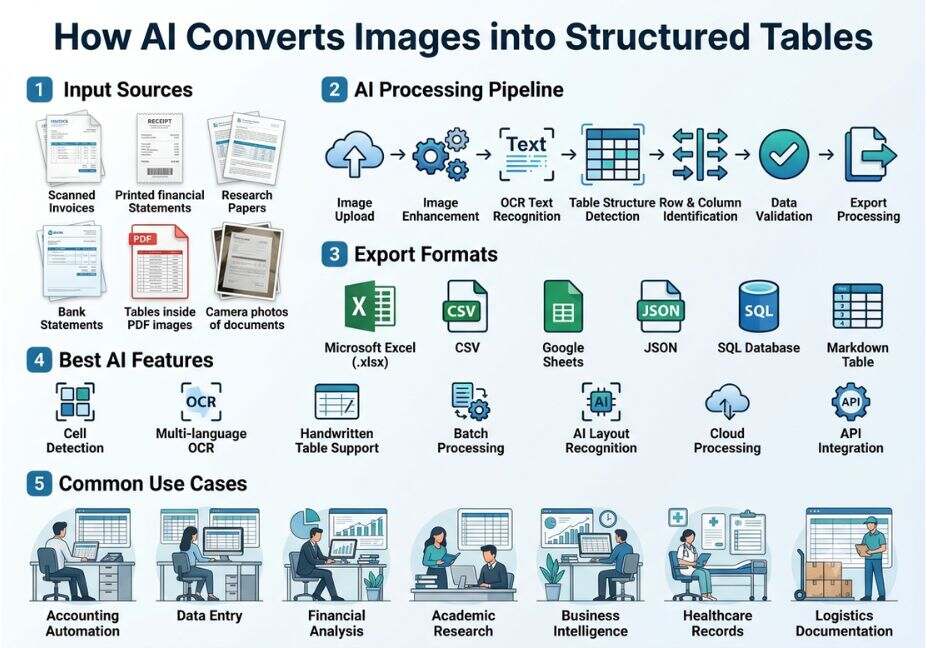
Image-to-table extraction is the process of detecting a tabular layout inside a raster image a screenshot, scanned page, or photo and reconstructing it as structured data (CSV, JSON, or an HTML/Markdown table) with rows, columns, and cell values intact. It’s distinct from plain optical character recognition (https://en.wikipedia.org/wiki/Optical_character_recognition), which recognizes characters but has no concept of grid structure, merged cells, or column alignment.
Early systems handled this with two separate stages: a detector that found row/column boundaries, and a text recognizer that filled in cell contents. Modern approaches increasingly fuse both into a single model.
How Does Image-to-Table AI Actually Work?
There are two dominant technical approaches, and knowing which one a tool uses tells you a lot about its failure modes.
1. Classic OCR + table heuristics. Tools like Tesseract-based pipelines detect lines, whitespace gaps, and text blocks, then apply rule-based logic to reconstruct rows and columns. This works well on clean, ruled tables with visible borders. It breaks down on borderless tables, merged headers, or rotated/low-resolution scans.
2. Vision-language models. Rather than treating detection and recognition as separate steps, a VLM ingests the image directly and generates structured output (HTML or Markdown) end-to-end, using both visual layout cues and language-level understanding of what a “plausible” table looks like. UniTabNet, a 2024 vision-language framework for table structure parsing (https://arxiv.org/abs/2409.13148), is a representative example: it splits the problem into physical structure (grid geometry) and logical structure (which cells belong to which header), then fuses vision and text signals to reconstruct both.
Technical Note: VLM-based extraction is typically scored with the TEDS (Tree-Edit-Distance-based Similarity) metric rather than raw character accuracy, because a table can have perfect OCR and still be structurally wrong cells assigned to the wrong row or column.
Pro Tip: If a vendor only advertises “character accuracy,” ask about structural accuracy separately. A tool can hit 99% character-level accuracy and still misplace entire rows in a merged-cell table.
Image-to-Table Use Cases: 5 Real-World Examples
- Financial reporting pulling line items from screenshotted P&L statements or scanned 10-K tables into a spreadsheet for analysis.
- Healthcare records converting lab-result tables from scanned patient charts into structured fields.
- Academic research extracting benchmark tables from research paper screenshots for meta-analysis, a task several arXiv table-recognition papers were built to evaluate.
- E-commerce and logistics turning supplier spec sheets or shipping manifests (often photographed, not scanned) into database-ready rows.
- RAG document ingestion pre-processing tables inside PDFs and images so an LLM-based retrieval pipeline can chunk and embed them without losing row/column relationships.
Best Tools and Approaches: A Comparison
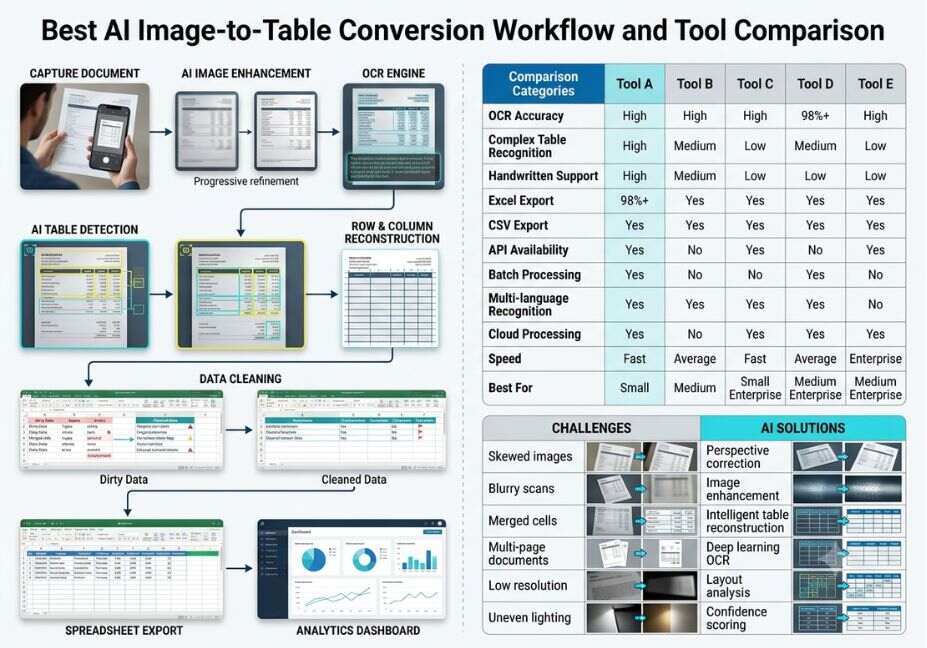
| Approach | Best for | Weakness |
|---|---|---|
| Classic OCR + heuristics (Tesseract-style) | Clean, bordered tables; on-premise/privacy-sensitive use | Fails on borderless or rotated tables |
| Vision-language model (VLM) tools | Complex layouts, low-resolution scans, merged cells | Higher cost; can hallucinate plausible-looking but wrong values |
| Agentic extract-verify-repair pipelines | High-stakes data (finance, healthcare) where errors are costly | Slower per document; needs an orchestration layer |
| Manual copy-paste / built-in office features | One-off, low-volume conversions | Doesn’t scale, error-prone at volume |
Did You Know? Independent benchmarking in 2026 comparisons of image-to-table tools reported vision-language-model-based extraction outperforming general-purpose chat models like ChatGPT and DeepSeek by several accuracy points specifically on complex, low-resolution table images the gap widens as table complexity increases.
Step-by-Step: Building an Image-to-Table Extraction Step Into a Pipeline
- Classify the input. Route clean, bordered scans to a lightweight OCR path; route screenshots, photos, and complex layouts to a VLM path. This saves cost without sacrificing accuracy where it matters.
- Extract with structure-aware output. Request HTML or Markdown table output rather than flat text this preserves row/column relationships that downstream chunking depends on.
- Validate numerically. For tables with totals or subtotals, run a simple arithmetic check (do the rows sum to the stated total?) as a cheap hallucination detector before the data ever reaches a human or a database.
- Repair on failure. If validation fails, re-run extraction at higher resolution or with a different model, or flag the row for human review rather than silently accepting the output.
- Feed into retrieval. If the table is headed for a RAG system, chunk it with its header row intact chunking a table mid-row is one of the most common sources of retrieval-accuracy loss. LlamaIndex’s document Q&A pipelines (https://docs.llamaindex.ai/en/stable/use_cases/q_and_a/) are a common reference implementation for wiring extracted tables into a queryable index.
python
# Minimal example: route + validate a table extraction result
def process_table_image(image, extractor, numeric_check=True):
    result = extractor.extract(image, output_format="markdown")
    if numeric_check and result.has_totals_row():
        if not result.totals_are_consistent():
            result.flag_for_review("arithmetic mismatch")
    return result
Technical Disclaimer: Framework versions and model benchmarks in this article reflect data available as of early-to-mid 2026. Vision-language model accuracy improves quickly check current vendor benchmarks before making a production decision.
Common Mistakes and How to Avoid Them
- Trusting fluent output over correct output. A VLM can produce a beautifully formatted table with a wrong number in it. Always validate numeric consistency, not just formatting.
- Skipping the merged-cell case. Many tools quote accuracy on simple ruled tables, then fail on multi-level headers. Test with your actual document types before committing.
- Losing table structure during chunking. If the extraction step outputs plain text instead of Markdown/HTML, downstream RAG chunking will often separate headers from data rows, degrading retrieval accuracy.
- Ignoring privacy requirements. Cloud-based image-to-table tools send data off-device. For sensitive financial or medical tables, an on-premise OCR + open-source VLM combination may be required regardless of accuracy trade-offs.
What Developers Are Saying
Extraction accuracy on messy, real-world tables rotated phone photos, low-DPI scans, inconsistent formatting comes up repeatedly in developer threads on r/LocalLLaMA (https://www.reddit.com/r/LocalLLaMA/), where the consensus leans toward self-hosted VLM-based pipelines for teams that need both accuracy and data control, with commercial APIs reserved for low-volume or non-sensitive documents.
FAQ People Also Ask
What is the difference between OCR and a vision-language model for table extraction?
OCR recognizes individual characters but has no built-in understanding of table structure. A vision-language model reads the image holistically and generates structured row/column output directly, which is why VLMs handle borderless and merged-cell tables far better.
Can AI accurately convert a photo of a handwritten table into a spreadsheet?
Accuracy depends heavily on image quality and handwriting legibility. VLM-based tools handle printed and typed tables reliably; handwritten tables still see meaningfully lower accuracy and usually need a human review step.
Are free image-to-table tools accurate enough for business use?
Free tools are generally fine for low-stakes, low-volume conversions. For financial, medical, or legal data where a misplaced digit has real consequences, a validated or agentic extraction pipeline is worth the added cost.
How do I extract a table from a screenshot into Excel?
Upload the screenshot to an image-to-table tool that outputs XLSX or CSV directly, or use a VLM prompted to return an HTML table, then paste it into Excel most spreadsheet applications parse HTML tables automatically on paste.
Do image-to-table tools work with scanned PDF pages, not just images?
Yes most tools rasterize each PDF page into an image first, then run the same extraction pipeline. Multi-page tables spanning several PDF pages are the harder case and often need explicit row-continuation handling.
Conclusion
The best convert-image-into-table AI tool for your use case depends less on marketing claims and more on which extraction approach classic OCR, a vision-language model, or an agentic verify-and-repair pipeline matches your data’s complexity and your tolerance for silent errors. For one-off conversions, any modern tool will do. For production pipelines feeding a RAG system or a financial dataset, build in structural validation before the data reaches a human or a database. Bookmark this guide and explore more agentic workflow breakdowns at agentiveaiagents.com.



