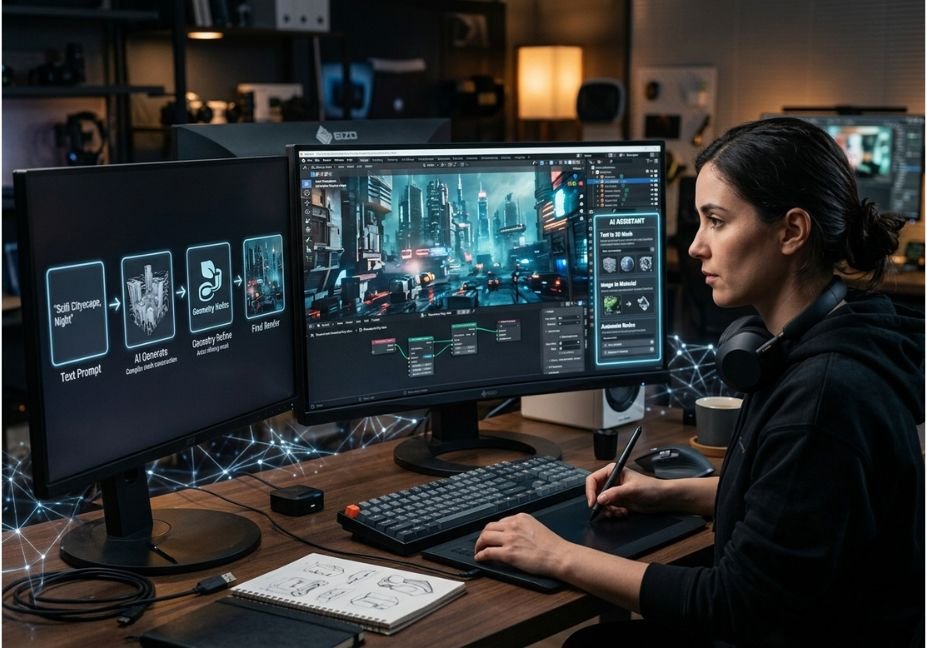
Conventional Blender methodologies may take a mere concept and convert it into hours of modelling, UV mapping, materials, script, and render. However, the use of Blender AI tools is set to change this trend by automating specific steps of the production process instead of providing finished images only.
Contemporary devices are capable of generating 3D assets basing on text or pictures as well as providing all the necessary means for crafting materials, creating Python for Blender, performing identical scene operations and linking generative AI pipelines with viewport.
The key point is that even though the geometry created using AI is still not ready for any production. The studies of Text-to-3D processes constantly raise concerns about quality, detail and multi-angle consistency of the resulting geometry.
Thus the best approach for technical experts and developers is using AI supported workflows in Blender: let the AI do the monotonous or exploratory work while the artists will take control over topology, art direction, procedural modeling and final checks.
What Are Blender AI Tools?
Blender AI tools refer to the software, extensions, scripts, or outside tools that deploy machine learning or generative AI methods to help the process of working with Blender.
Blender AI tools are generally categorized into six types:
Text-to-3D: Create a 3D object according to a natural language command;
Image-to-3D: Produce a 3D object based on an image;
AI texturing: Produce textures or PBR maps;
AI scripting: Translate natural language commands into Python script for Blender;
AI animation: Help in the rigging, motion capture, or animation process;
AI rendering: Reduce noise or automate the decision-making process for rendering.
The importance of distinguishing different types of the specific Blender tool is that the AI model generator and AI Blender assistant go about solving completely different problems.
On another note, Blender’s Python API provides significant capabilities that make it suitable for automation by means of AI.
How Do Blender AI Tools Work?
The majority of AI-involved Blender procedures adhere to a straightforward sequence:
Input → AI model → Output generated by the AI → Import to Blender for further control → Editing by a human being
Illustratively, a text-to-3D system may take the following sentence:
“Low-poly space transport with four motors and legs”
and convert it into a mesh.
The created mesh can then be uploaded into Blender in GLB, FBX, or OBJ format where an artist can change some parameters (such as mesh topology, material, lighting, and animation).
AI helpers work according to another principle. Instead of importing the mesh into Blender, an LLM can write Blender Python code using the bpy API.
This way a simplified process might include the following elements:
import bpy
# Cleaning up the selection set
bpy.ops.object.select_all(action=”SELECT”)
bpy.ops.object.delete(use_global=False)
# Adding a cube
bpy.ops.mesh.primitive_cube_add(location=(0, 0, 0))
obj = bpy.context.active_object
obj.name = “AI_Generated_Cube”
# Rescaling the object
obj.scale = (2, 2, 0.5)
A text message can be transformed by the AI helper into many variations of the above script.

11 Best Blender AI Tools for Different Workflows
There is no single best tool for every Blender task. The right choice depends on whether you need models, materials, automation, animation, or rendering.
| Tool / Approach | Primary use | Blender integration | Best for |
|---|---|---|---|
| Meshy | Text/image-to-3D | Plugin + import workflow | Rapid asset generation |
| Dream Textures | AI textures | In-Blender workflow | Material experimentation |
| ComfyUI-BlenderAI-node | Generative workflows | Blender nodes | Technical users |
| 3D-Agent | AI scene assistance | Blender-focused | Natural-language workflows |
| Blender AI Assistant | LLM + Python | Blender add-on | Scripting and automation |
| PolySuite | PBR/HDRI/AI tools | Blender-focused | Materials and lighting |
| Mixamo | Rigging/animation | Export to Blender | Humanoid animation |
| AccuRig | Auto-rigging | Export workflow | Character rigs |
| Stable Diffusion workflows | Texture/image generation | ComfyUI/add-ons | Custom pipelines |
| Blender Python + LLM | Automation | Native API | Developers |
| Blender AI denoising | Rendering | Native rendering pipeline | Faster Cycles renders |
The important takeaway is that these tools should be evaluated by workflow fit, not simply by how impressive their demo renders look.
1. Meshy – Fast Text-to-3D and Image-to-3D
Meshy is ideal for situations where the creation of an initial asset is the main factor that slows down advancement.
The process consists of text-to-3D and image-to-3D technology, making the service ideal for prototypes, asset ideas, game elements, and speedy visualization.
Pros
Fast process of creating an asset from an idea
Utilization of text and images
The ability to create materials and textures
Helpful for fast iterations
Easy compatibility with Blender
Cons
The generated geometrical forms may need corrections before the process of creating the asset can successfully be completed.
The important advice is to treat the generated content as just a starting asset. Be sure to inspect the normals, topology, scale, UVs, material assignment, and polygon density of the produced item.
2. Dream Textures – AI Technology for Making Textures in Blender
Dream Textures is made for artists who already possess the geometry but need to carry out experiments with materials.
The novelty consists in the fact that it complements the familiar process of modeling with a new layer of generative images right inside the process of creation of materials in Blender.
This technology can be successfully used.
3. ComfyUI-BlenderAI Node – The Best for Technology-Based Generative Workflows
ComfyUI-BlenderAI node is open-source and joins ComfyUI workflows with Blender nodes. It allows AI to generate materials, images, and to import models and provide information through a camera. The architecture is interesting for technical artists and allows Blender to take part in generative workflow rather than keeping AI separate.
Although the project allows local deployment the complexity of its configuration is higher than that of any AI-hosted service.
Best for: Developers and technical artists who need customizable work processes.
Downside: More control requires more configuration and dependency management.
4. Blender AI Assistants – Natural Language to Bpy
Blender assistants powered by LLMs work on automation of another task instead of asking AI for immediate implementation of 3D models.
You are able to submit your request in the following way
– Create and rename objects
– Build procedural scenes
– Add modifiers
– Configure materials
– Generate geometry nodes
– Create cameras and lights
– Write Python automation
– Process objects in batch mode
For instance: Create a three-camera studio setup. Use one key light, one fill light, and one rim light. Put your cameras all around the object you are working with. Name every object clearly
5. 3D-Agent – Working Effectively with Blender Using AI
The role of AI tools explicitly created to assist with tasks involving Blender is shifting towards a more agent-oriented approach in operations.
Instead of giving one answer, such an agent can perform several things:
. Examine the scene status.
. Decide on an operation to perform.
. Carry out operations in Blender.
. Evaluate the result.
. Proceed to the next operation.
In this sense it is more like an agent type of work than the work of a classical chatbot.
Knowing this distinction is essential since a chatbot can give directions, whereas an agent can operate tools and follow a work sequence based on the existing state of the scene.
Blender-related products based on AI principles are increasingly utilizing natural language processing with tool-based intervention to make the process easier.
6. PolySuite – Work with AI Materials
AI solutions designed for working with textures are growing in importance as texture creation is usually a laborious job.
The modern workflow with materials includes several steps:
Reference images → extraction of materials → creation of PBR → creation of shader nodes in Blender → applying UV → checking the rendering
7. Mixamo and AccuRig – AI-Powered Character Rigging
The technique of making characters introduces its own particular difficulty: rigging.
Technology has advanced the art of auto-rigging, greatly simplifying the tasks necessary to set up humanoid characters for animation.
An ideal process flies like this:
1. Create or design your character.
2. Refine the shape.
3. Use an auto-rigging tool to set up the skeleton.
4. Apply the movement.
5. Transfer the results to Blender.
6. Fix any distortions in the image.
Did you know that auto-rigging is perfect only for humanoid characters? Other forms may need some additional work on the corrections.
8. AI Techniques in Rendering
AI does not necessarily create the whole environment but can enhance the working process in Blender.
Another area where machine learning can be applied is the rendering.
The use of denoising will allow one to get an idea of the image without making high-quality renders.
The typical working process is:
Go with low-quality samples→ use machine learning to process them→ see details→ get high-quality versions only of the areas with problems.
9. Blender Python + LLMs – The Wizard’s Wand for Developers
For the developers, Blender AI has one extraordinary tool which also does not belong to the category of add-ons.
By combining the Python API of Blender with LLMs, the developers can make use of the entire extent of the functionality of Blender.
Thanks to the wide extent of programmable space that Blender has to offer through bpy, now AI can be used for creating automated scripts that can be helpful when working on repetitive processes.
Here’s an example of its usage:
import bpy
for obj in bpy.context.scene.objects:
if obj.type == “MESH”:
obj.select_set(True)
obj.name = f”Asset_{obj.name}”
Also, a more sophisticated functionality might be utilized, such as:
– Reading metadata of the scene
– Selecting objects based on their properties
– Making materials
– Applying modifiers
– Exporting the assets
– Creating collections
– Placing cameras
– Batch-rendering the scenes
Thus, the main benefit is the possibility of making processes constantly.
Instead of asking AI to perform the same action 50 times, you can ask it to generate a script performing this operation.
10 .Procedural Modeling with Geometry Nodes and AI
Geometry Nodes is a powerful framework for AI assistance.
An LLM can help developers understand various procedural concepts like:
. Instancing
. Curves
. Distributions
. Attributes
. Scattering
. Parametric architecture
. Procedural environments
However, there is an important distinction:
Geometry Nodes created by AI are not necessarily good procedural systems.
A good procedural architecture must satisfy 5 criteria:
. Clear inputs
. Predictable outputs
. Proper performance
. Meaningful parameter names
. Modular groups
. Error handling
AI is great for developing design ideas but it is essential to evaluate important points with the involvement of people.
11. Using ComfyUI and Blender for Advanced AI Workflows
Those users looking to combine several AI models on one platform should make use of ComfyUI’s advanced node-based system.
Thanks to Blender integration, users will be able to perform AI generation and image processing, and create materials, models and perform composites in one environment.
One possible implementation of this approach follows the pattern below.
Blender Camera
↓
Rendered Refernece
↓
ComfyUI Workflow
↓
Image/Material/AI Processiong
↓
Blender
↓
Final Scene
This approach is useful for technical artists who want to create reusable workflows.
Architect’s Note: Keep the AI pipeline modular. When the change of one model requires reconstructing the entire workflow the system becomes unmanageable.
What Can AI Actually Automate in Blender?
The highest-value automation targets are usually repetitive tasks rather than artistic decisions.
| Task | AI suitability | Human review |
| Naming objects | High | Low |
| Basic scene setup | High | Medium |
| Python scripting | High | High |
| Texture ideation | High | Medium |
| Concept modeling | High | High |
| Production topology | Medium | High |
| Character rigging | Medium–High | High |
| Lighting suggestions | Medium | High |
| Final artistic direction | Low–Medium | Very High |
| Production-ready assets | Medium | Very High |
The pattern is clear: AI is strongest where the task has repeatable rules and measurable outputs.

Common Errors Associated with Blender AI Tools
The primary error is to assume that output from an AI system is immediately suitable for production.
1. Poor Topology
Meshes produced by AI models contain an extremely high number of triangles or have uneven distribution of density in addition to the appearance of holes in them or poor flow of edge vertices.
Solution: Perform retopology or remeshing before starting any further processing.
2. Inconsistent Views
It is essential to maintain the same model in all views of the text-to-3D systems and this remains one of the most challenging tasks in the development of generative systems for 3D modeling.
3. Wrong Blender Python
A large language model may create some APIs or confused codes used in other versions of Blender.
Solution: Review the documentation on APIs and compare it to the actual Blender version in use.
4. Hidden Problems with Scene States
An AI agent might assume that some objects, materials, collections, or modifiers are present when they are not.
5. Problems of Dependencies
Certain complex AI plugins can require the use of Python libraries or files, GPUs, ComfyUI installations or specific versions of Blender.
FAQ: Blender AI Tools
What are the top AI tools used in Blender?
The tool that works best will depend on the task at hand. If the job involves text to 3D or images to 3D, then Meshy is good for the job. If one is interested in using AI-powered assistants, those of them that are powered by Large Language Models (LLMs) are recommended for working with Blender Python and automating scenes.
Can we use AI for creating 3D models meant for Blender?
The answer to this question is yes. 3D model generators can produce mesh out of text or images that can be imported into Blender. But keep in mind that the generated 3D models will most likely require retopology, uving, correcting the materials they are made of, correcting their scale, etc. before they can be considered ready for use in animation or rendering purposes.
Does Blender have any AI plug-ins?
There are many AI plug-ins that work with Blender enabling a number of functions including AI texturing, model generation as well as providing Python assistance and ComfyUI workflows. Blender also has a platform called Extensions from where you can find different Extensions to install.
Is it possible to use ChatGPT with Blender?
A large language model can control Blender when it is used in conjunction with either an add-on, via a Python bridge, through an MCP server or some other interface. The LLM produces commands or Python. Importantly, the validation is essential as the coded output can be erroneous.
Is there an ideal free tool for Blender?
It’s impossible to name a perfect free tool for everyone as different open-source solutions are more flexible while Blender has an API for its automation.
Summation
The best tools powered by AI in Blender might not necessarily be those that make the coolest demonstration projects. The right question to ask here is what tool eliminates a certain bottleneck in the workflow.
There are three basic cornerstones to follow:
Make use of generative AI as a means for exploration and creation of initial assets rather than as a tool that produces entire 3D assets automatically.
Use LLM technology and Python of Blender to streamline automation and make it reusable, creating duplicate visualizations of scenes.
Make sure to validate the result of every application of AI, as topology and API compatibility can, among other factors, fail.
For developers and technical artists what is most interesting is the combination of LLM technology, Python of Blender, Geometry Nodes technology, ComfyUI, and the use of tool agents. Instead of simply generating assets, AI systems are able to come up with logical conclusions about the scene, utilize Blender tools, analyze the results, and repeat the previous action.This is where the use of Blender AI transforms from just generating factors into a serious agentic 3D working model.