AI avatar tools for virtual events fall into two categories pre-rendered avatar generators (Synthesia, HeyGen, D-ID) for scripted content, and real-time conversational hosts (Tavus, LiveKit-based platforms) for live interaction. Picking the wrong category is the most common planning mistake.
That framing matters because, according to a 2026 platform comparison from Colossyan, total cost of ownership for a mid-sized team can range from $7,500 to over $25,000 a year. The difference isn’t brand loyalty it’s whether the avatar renders before the event or during it.
This guide separates the two categories most “best AI avatar” roundups blur together. You’ll get a comparison table, a decision framework, and answers formatted for quick scanning, voice search, and AI-generated summaries.
What Are AI Avatar Tools for Virtual Events?
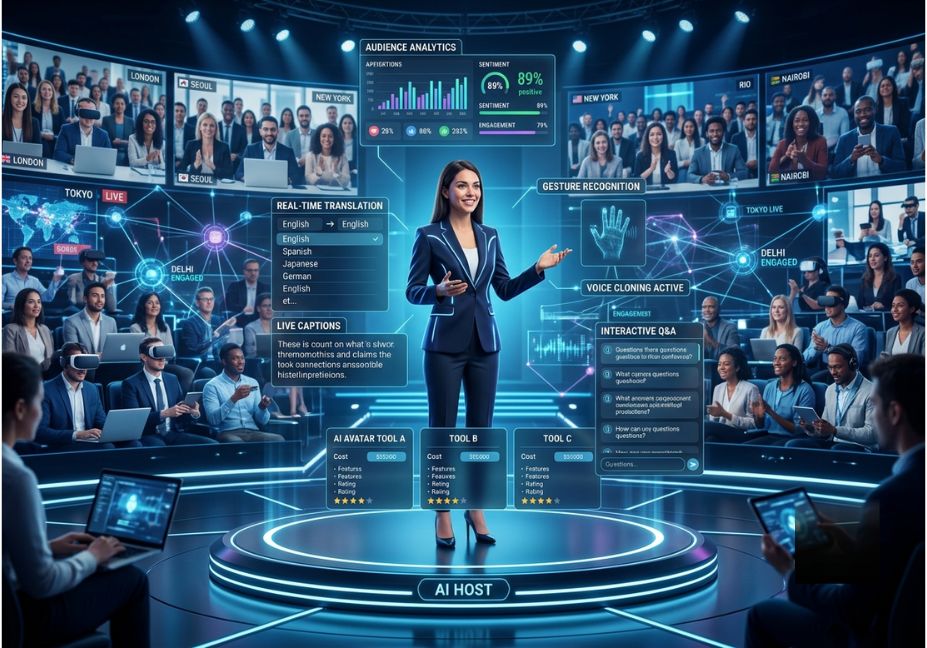
Definition (snippet-ready): AI avatar tools for virtual events are software platforms that generate a synthetic on-screen presenter called a digital human using neural voice synthesis and facial animation. They can deliver a keynote, host a webinar, or answer live questions without a person on camera.
Some platforms rely on generative adversarial networks (GANs) or diffusion-based rendering for lifelike movement. However, the rendering technology matters less than which of the two functional categories a tool belongs to:
- Pre-rendered avatars a script goes in, a finished video comes out. No live interaction.
- Real-time avatars the avatar listens and responds live, usually over a WebRTC connection.
How Do AI Avatar Tools for Events Actually Work?
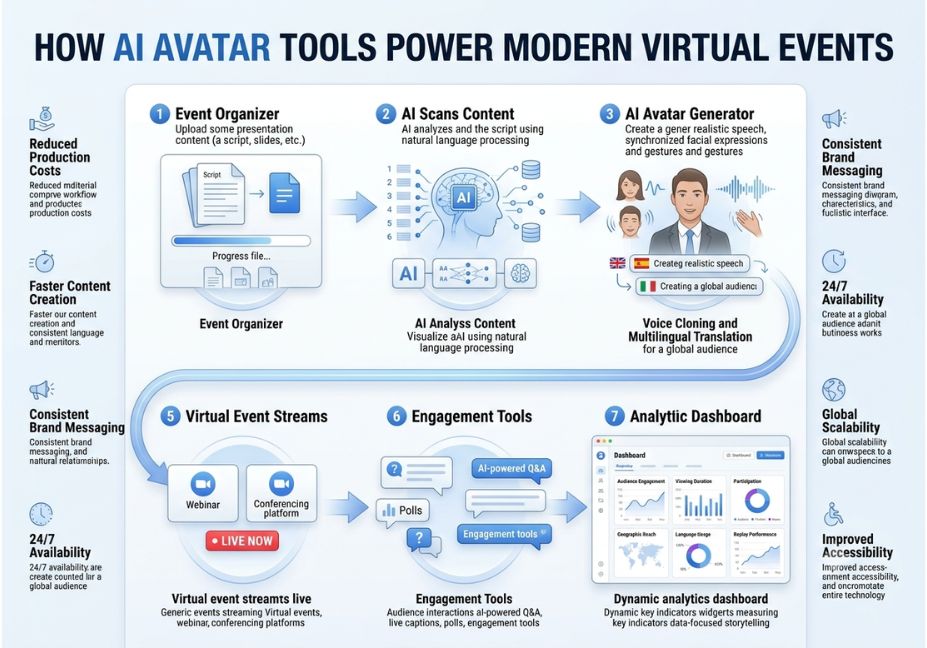
Pre-rendered platforms follow a short pipeline: text or script → text-to-speech engine (TTS) → facial animation model → rendered video file. Because there’s no live audience yet, there’s no listening step. The video simply plays back during the event.
Real-time hosts, by contrast, add a listening loop. Audience speech goes through automatic speech recognition (ASR), then a language model, then TTS, then the avatar renderer all synchronized over a low-latency connection. Tavus’s Conversational Video Interface is a working example of this stack. AWS has even published an open-source real-time avatar pipeline that shows the full chain in code.
Technical Note: Every extra step in the real-time loop adds latency. A host that pauses half a second before answering feels human. One that pauses three seconds feels broken. That’s why real-time vendors now publish latency benchmarks the way pre-rendered vendors publish avatar counts.
Pre-Rendered Avatar Tools: Best for Scripted Sessions
These tools produce polished, on-demand content keynote intros, product walkthroughs, evergreen webinar segments that plays during the live event.
- Synthesia the safest choice for regulated enterprise training and internal comms. It has the deepest language library and the most audited compliance posture (SOC 2, ISO 27001) in the category.
- HeyGen wins on avatar naturalness and voice cloning. Its team pricing pools minutes across seats, so it’s usually cheaper than Synthesia for groups over two people.
- D-ID the budget entry point. It’s strongest for developers building on its API rather than using the no-code editor.
- Colossyan purpose-built for training and interactive learning, useful when the “event” is really an on-demand course.
Pro Tip: Don’t script a 60-minute monologue. Even a highly realistic pre-rendered avatar loses the room past 8–10 minutes without a cut to slides, a poll, or a live segment.
Real-Time Avatar Tools: Best for Live Hosting and Q&A
If attendees need to ask a question and get an answer on the spot, you need a real-time avatar specifically one built for real-time AI avatar hosting, not a pre-rendered one.
- Tavus the reference implementation for real-time avatar hosting. Its Conversational Video Interface powers live-event and expo-booth demos and integrates with WebRTC-based infrastructure like LiveKit.
- LiveKit’s avatar plugin ecosystem now lists 14+ real-time providers (Anam, Avatario, Beyond Presence, Simli, among others), showing how fast this sub-category is growing.
- Ravatar / Mimic Minds-style platforms built specifically as AI event-host replacements for a live emcee, including holographic display options for hybrid stages.
Did You Know? Sub-second response latency, not avatar count, is now the benchmark real-time vendors compete on. A host that “thinks” for more than a couple of seconds breaks the illusion of a live conversation.
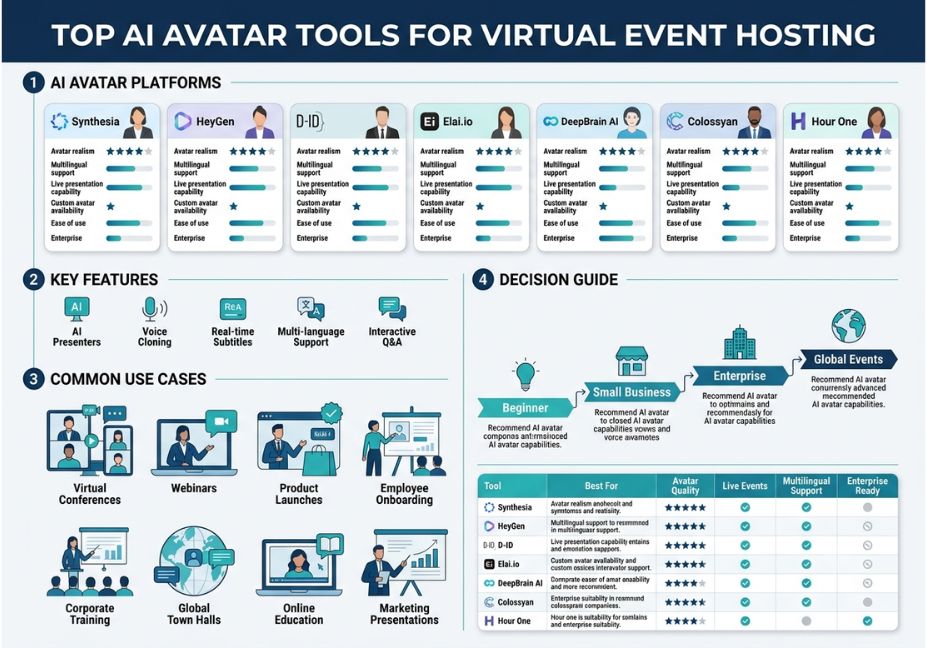
Comparison Table: Pre-Rendered vs. Real-Time Avatar Tools
| Tool | Category | Best For | Live Interaction | Starting Price |
|---|---|---|---|---|
| Synthesia | Pre-rendered | Enterprise training, internal comms | No | ~$29/mo |
| HeyGen | Pre-rendered | Marketing, sales enablement | No | ~$24/mo |
| D-ID | Pre-rendered / API | Budget content, developer builds | Limited (API) | ~$5.90/mo |
| Colossyan | Pre-rendered | L&D, interactive courses | No | ~$29/mo |
| Tavus | Real-time | Live Q&A, expo booths | Yes | Usage-based |
| Ravatar / Mimic Minds | Real-time | Live conference MC, hybrid stages | Yes | Custom quote |
Now that you understand the split between scripted and conversational tools, let’s look at how event teams actually deploy them.
Real-World Use Cases
- Product launches: a pre-rendered HeyGen segment opens the event; a real-time avatar then takes live questions.
- Multilingual global summits: one script, dubbed into a dozen languages, replaces hiring regional presenters for each session the core case for AI avatar for multilingual webinar hosting.
- Expo booths and hybrid conferences: a real-time avatar greets attendees on a booth display or holobox without staffing every hour of a multi-day event.
- Evergreen webinars: a pre-rendered avatar delivers the same onboarding session on-demand, at scale, with no re-recording cost per new audience.
Common Mistakes and How to Avoid Them
- Buying a pre-rendered tool for a live-Q&A use case. It won’t work there’s no listening loop. Confirm the vendor has a real-time product line first.
- Running an all-avatar event with no human backup. Avatars complement a host; they don’t replace one during spontaneous or emotionally sensitive moments.
- Ignoring latency numbers for live formats. A demo recorded in a quiet room can hide lag that surfaces badly under real event network conditions.
- Underestimating scaled pricing. Per-minute or per-seat costs that look fine for one video can balloon once you’re producing dozens of localized session variants.
Technical Disclaimer: Avatar platforms update pricing and models frequently. Figures here reflect vendor-published pricing as of mid-2026 confirm current terms before budgeting.
What Event Planners Are Saying
Community discussion including threads on r/MachineLearning and vendor-published example repos like AWS’s open-source real-time avatar pipeline converges on one point: realism has stopped being the bottleneck. Latency, pricing at scale, and integration with your existing event stack (Zoom, Hopin, a custom WebRTC avatar integration) now matter more than which avatar looks the most human.
FAQ People Also Ask
What is the difference between a pre-recorded and real-time AI avatar for events?
A pre-recorded avatar renders a finished video from a script before the event starts, with no live interaction. A real-time avatar listens and responds during the event over a low-latency connection, which is why it’s the only option for live Q&A.
Can AI avatars host a live virtual event without a human?
Yes, technically, using a real-time avatar platform. Most event teams still keep a human on standby, though, for spontaneous moments or emotionally sensitive content where a synthetic presenter can feel out of place.
How much does an AI avatar cost for a virtual event?
Pre-rendered tools typically start around $6–$30 a month for individual plans. Team and enterprise tiers for either category can run $7,500–$25,000+ a year depending on usage. Real-time platforms are usually priced by usage rather than flat seats.
What is the best AI avatar tool for a multilingual webinar?
Synthesia and HeyGen both offer broad language libraries 160+ and 175+ languages respectively making either a strong pick for global summits that need one script dubbed across regions.
Are AI avatar hosts reliable for live Q&A?
Reliability depends on choosing a real-time-category tool with published low-latency benchmarks. Pre-rendered avatars aren’t built for live Q&A at all, and even real-time hosts can feel unnatural if response latency creeps above a second or two.
AI avatar host vs. human event host which is better?
Neither wins outright. AI avatars win on scale, cost, and multilingual reach; human hosts win on spontaneity and emotional connection. Most well-run events use both, in the pattern described above.
Conclusion
The AI avatar market for events splits cleanly into two jobs. Pre-rendered tools like Synthesia, HeyGen, and D-ID handle scripted, on-demand content. Real-time avatar platforms like Tavus and the growing LiveKit ecosystem handle live hosting and Q&A. Matching the category to your event format not just picking the most realistic avatar is what actually determines whether the AI host works on the day.
Start by sorting your event’s sessions into “scripted” and “live” buckets before you shortlist vendors. That one step avoids most of the budget waste and mid-event surprises teams run into with top ai avatar tools for virtual event hosting. Bookmark this guide and explore more hands-on AI tooling breakdowns at agentiveaiagents.com.