
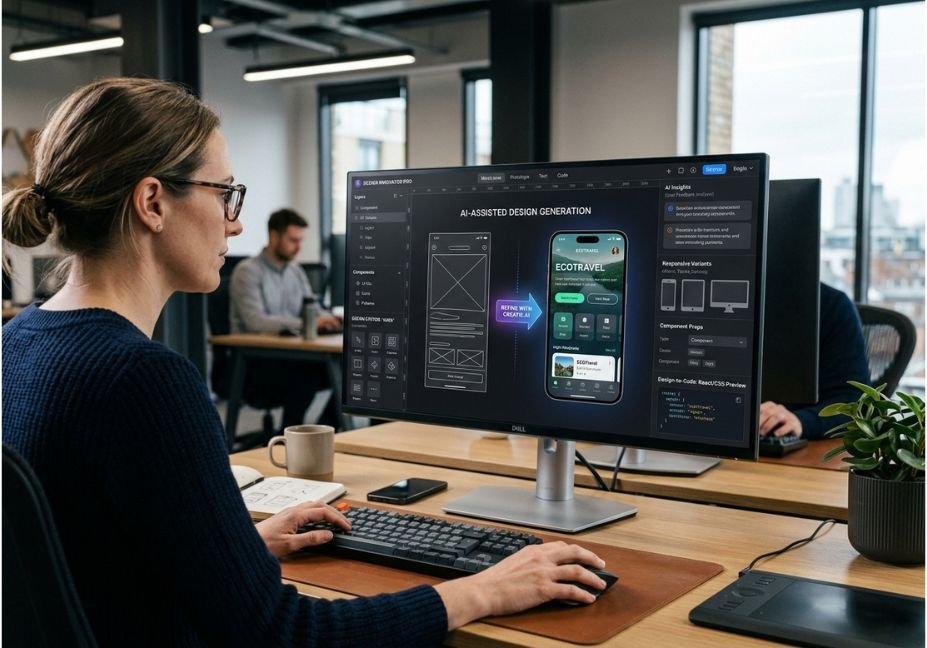
Artificial Intelligence has completely revamped the UX design process from being largely dependent on manual tasks to a hybrid approach that enables designers to quickly generate, test and improve user interfaces. However, with the growth of AI, there are now multiple tools to choose from, creating a conundrum for designers: which tools actually improve the workflow instead of just creating pretty screens?
AI tools that will be useful for UX designers in 2026 are already becoming more specialized in terms of the stage of workflow they target. Figma AI, Uizard, Galileo AI, UX Pilot, Relume, Google Stitch, and others assist many steps of the process, while Creatie.ai stands apart from the crowd by helping with product design, generation, collaboration, prototyping, and all processes related to design system.
This is a significant distinction. Machine learning-generated design is not necessarily a good design solution. On the contrary, research on generative design shows that AI can be used for defining problems and coming up with ideas, with actual designers still being needed to evaluate all the ideas.
With so many different AI software options available, in 2026 the question for the designer won’t be “which one is the best but “which one is best.
What Is Creatie.ai?
Creatie.ai is a platform for product design that uses Artificial Intelligence (AI) techniques to execute the complete process, such as incorporating ideas, designing user interfaces, collaborating, making prototypes, and handing them over.
This method is different as compared to the method of utilizing different AI plugins. Creatie currently has embedded AI in its design process itself, allowing key features like producing AI-based designs, making images better, creating icons, and automating the design process through the creation of a design system. Creatie’s product team claims that Wizard process can generate various designs based on the selected area of the canvas and customize the recommendations to meet respective styles and elements.
One of the most important principles of UX tells that the AI-generated data is only an inspiration, not the solution.
The designer works with the generated options accordingly, making appropriate changes based on usability as well as product restrictions, accessibility needs, and user research.
Why Creatie.ai Stands Out Among AI UX Design Tools
Numerous AI-driven UX tools are available today and most of them have a specific focus. For instance, Uizard is a great choice for fast wireframing. Galileo AI is devoted to producing realistic user interfaces. Relume is best suited to establishing a website structure and creating wireframes. While platforms focused on research provide aid in understanding qualitative data.
However, Creatie is more interesting when it comes to carrying out more than one design process in a single environment.
Creatie has several advantages in terms of workflow.
Ideation with the help of AI: coming up with design concepts without any preliminary sketches
Generating components: coming up with various versions of user interfaces from the description of the required item.
Designing with the help of design systems: applying styles, mechanics, and the visual aspects to all screens instead of treating each screen as a single a distinct one.
Assets in terms of design: creation of additional design materials or improving the existing ones.
Collaboration: connecting discussions about design that takes place close to the creation process.
Prototyping: creation of functional designs that are interactive and moving beyond sketches.

Best AI Tools for UX Designers in 2026: Comparison
There is no universal winner because UX work contains several distinct problems. Current 2026 comparisons repeatedly separate tools by wireframing, UI generation, research, testing, and design-to-code rather than treating them as one category.
| Tool | Best For | Main Strength | Best Workflow Stage |
|---|---|---|---|
| Creatie.ai | AI-native product design | Integrated design + AI workflows | Ideation → UI → prototype |
| Figma AI / Make | Existing Figma teams | AI inside established design workflow | UI design + prototyping |
| Uizard | Rapid wireframes | Fast text/sketch-to-interface exploration | Early ideation |
| Galileo AI | High-fidelity concepts | Polished first-pass UI screens | Visual exploration |
| UX Pilot | UX assistance | Research/design workflow support | Research → design |
| Relume | Web structure | Sitemaps and wireframes | Website planning |
| Google Stitch | Prompt-driven UI exploration | Rapid interface generation | Concept → prototype |
| v0 | Design-to-code | React-oriented UI generation | Prototype → code |
The important distinction is output type. A tool that produces an attractive image may be excellent for visual exploration but poor for an editable design system. A tool that generates code may be valuable for validation but unnecessary for a designer focused entirely on research.
Architect’s Note: Evaluate AI UX tools according to editability, consistency, iteration speed, integration, validation, and handoff, not just visual quality.
How AI UX Tools Fit Into the Modern Design Workflow
A truly successful AI-powered process is usually organized into seven steps:
Research gather interviews and user feedback, surveys, and analytics and.
Synthesis find themes, behavioral patterns, and pain points, analyze the data collected.
Ideation create ideas for different information architecture and flows of the product.
Wireframing create the layouts based on the chosen ideas.
High-Fidelity Design apply typography, various components, colors, and a visual hierarchy.
Prototyping and testing get feedback from users about interactions of the product.
Handoff write specifications and deliver the materials necessary for implementation.
The AI works best when the input and expected outcome are clear.
For example:
Research notes → themes → requirements for the design → wireframe variants → prototype → human evaluation.
Whereas the work of the AI is limited when it has to develop a product strategy based on very little information.
Research on GenAI usage in UX found out that specialists do not fully trust AI results while stakeholders overestimated the capabilities of AI
Technical Note: AI proves its insights on the real users, it is better to treat them as hypotheses.
5 Real-World Use Cases for Creatie.ai
1. Quick dashboard exploration
The dashboard of the product may contain charts, navigation, KPIs cards, alert notifications, and transaction tables.
The designer does not have to make every layout manually; the AI can suggest a basic layout to be further fixed by the designer.
2. Generation based on design system
One of the most useful options is generation based on current visual norms.
Creatie’s technology uses local components and layouts to create new designs to bridge the gap between the world of AI and design systems.
3. Mobile rethinking
The desktop design can be remade for small screens by modifying hierarchy, navigation, density, and component behavior.
The designer will check the final product instead of just assuming that automatic responsiveness will produce good mobile design.
4. Various kinds of empty states and visual elements
Using AI-assisted processes can help designers visualize the process of empties states, onboarding visuals, illustrations, and supporting interfaces, thus saving time while going through many options.
5. Early-stage ideas
AI can create variations of the interface that can help make discussions much more vivid.
Seeing multiple options of the design can help articulate ideas instead of abstract concepts like “the simpler dashboard.”
Did You Know? The research on human-GenAI design has shown the usefulness of AI support in ideation and definition of problem stages, where choices mostly belong to humans.
How to Choose the Best AI UX Tool for Your Workflow
The best tool depends on your bottleneck.
| Your Bottleneck | Better Tool Category |
| Blank canvas | AI wireframing / generative UI |
| Too many UI variations | AI component generation |
| Research takes too long | Research synthesis |
| Website architecture is slow | AI sitemap/wireframing |
| Prototype validation is slow | AI prototyping + testing |
| Developer handoff is painful | Design-to-code |
| Design consistency is weak | Design-system automation |
For a product designer who wants one environment for several of these stages, Creatie is particularly worth evaluating.
For a team already deeply invested in Figma, adding Figma’s native AI capabilities may create less workflow disruption. For a research-heavy UX team, a specialist research platform may provide more value than another UI generator.
Pro Tip: Run the same realistic task through two or three tools. Compare time-to-first-useful-output, editing effort, consistency, and final quality not the first generated screen.
Step-by-Step: Using AI for a Better UX Design Workflow
Step 1: Establish the user and task
At this point think of:
. User type
. Objective of the user
. Goal of the business
. Device
. Important limits
. Actions to be completed
. Accessibility considerations
Step 2: Turn requirements into a design task
A more comprehensive task would be:
Make a tool for analytics for SaaS use.
Criteria:
– Computer-centered design
– Left-side navigation including 6 sections
– 4 cards showing key performance indicators
– Chart with monthly results
– Table with latest activities
– Area dedicated for alerts
– Proper contrast
– Constant spacing of 8px
– Use of same components
Make information hierarchy and easy search for the information an important strategy.
Step 3: Create a few options
Avoid choosing the first solution right away.
Develop multiple options and assess their merits.
. Information organization
. Clarity of navigation
. Concentration of content
. Prioritization of visuals
. Reusability of components
. Mobile friendliness
Step 4: Use the design system
Check typography, colors, spacing, component functionality and degree of reaction.
Now we can understand all the advantages of a design system-based approach as compared to a traditional image-generating process.
Step 5: Make the key flow prototype
Don’t begin prototyping all details.
Create the prototype that resolves the product’s most burning issue.
Step 6: Validate the approach with real users
While AI allows making predictions on usability it cannot substitute human interaction testing.
A 2025 study dedicated to the use of GenAI in UI/UX design refers to the important fields of study such as collaboration between humans and AI, evaluation, and ethics.
Step 7: Teach with provided evidence
Use the results of tests to improve the previous design.
The cycle should be correct and include the following steps:
Create → Analyze → Test → Gain experience → Refine
instead of being wrong and including the following steps:
Create → Publish.

Common Mistakes When Using AI UX Design Tools
Mistake 1: Relying on aesthetic appeal
While having a pretty interface may seem sufficient, with poor underlying logic it does not matter.
Solution: Assess task success, layer structure, availability of information, and usability.
Mistake 2: Going for the first output generated by AI
AI generation relies on probability and luck and there are plenty of other options out there besides the first option.
Solution: Make alternative outputs and evaluate them based on specific criteria.
Mistake 3: Forgetting about design system cohesion
Independent generations of AI could lead to inconsistent buttons, typography, sizes and design interactions.
Solution: Use a single source of controlled component.
Mistake 4: Considering generated research data to be true
AI can distort research results and present weak trends as strong ones.
Solution: Go back to the source of research to see its data.
Mistake 5: Ignoring accessibility inspection
AI generated solutions may still include means of communication that are unclear and not suitable.
Solution: Combine automated accessibility inspection with manual.
Mistake 6: Excluding designer from the process
AI is good as an accelerator.
FAQ — Queries Made by Individuals
What are the most effective AI tools available for UX designers in 2026?
Selecting the right AI tool is dependent upon the project phase of the UX designers. For integrated AI-assisted product design with a particular focus on product design, Creatie.ai can be highly valuable. In case, someone is already using Figma platform, Figma AI could be a great tool to use.
Would you recommend the use of Creatie.ai for UX design?
Yes, definitely. Creatie.ai is beneficial for the UX professionals who are looking for AI assistance in their product design. The potential of this tool is best utilized with respect to ideation, UI creation, design system exploration, developing visual assets, collaborating with other designers and prototyping approaches.
Is it possible for AI to take over the job of UX designers?
No. AI could speed up some easy tasks related to UX, but it cannot replace people’s judgment regarding user experience, product strategy, accessibility, ethics, uncertain needs, etc. Studies on design supported by GenAI show that the designers’ role in assessing the AI-generated variants remains irreplaceable.
What ai software is the best for UX wireframing?
There is no universal winner here. Uizard is great for fast wireframing applications, while tools like Creatie.ai, Figma AI, Galileo AI, among others, can serve different purposes in interface exploration. The choice, therefore, must be based on the needs of the designer.
Can AI tools make UX research totally automated?
AI tools can speed up the process of data analysis, as they can summarize transcripts, cluster the research themes, and point out patterns and insights. However, the researcher still needs to be the one who plans the research, evaluates data, finds weaknesses in its interpretations, and comes to conclusions. The research on GenAI used for UX also states that trust and interpretations are critical challenges.
Conclusion
The finest AI tools for UX designers for 2026 are not always those that impress with their first screen. The strongest tools are those capable of reducing repetitive work while giving designers control.
The main conclusions include:
Choose based on bottlenecks of the workflow. The various processes like wireframes, synthesizing research, prototyping, design systems, and handoff involve different processes.
Creatie.ai is the most appealing as it provides an integrated environment of AI design. Its unique combination of the processes of AI based generation, workflows of design systems, collaboration, and prototyping puts this platform on the must-try list for designers who prefer to reduce the number of unconnected tools.
Human confirmation is still important. Although AI speeds up the process of search, obtaining results from users and testing usability are still crucial to determine whether a design works or not.
This means that the 2026 model of work is not AI-picking vs designer. Instead, it implies supplementary use of AI in the process of obtaining results and then relying on human evaluation.
Remember to first focus on developing a specific UX bottleneck. Apply an AI model of work and see how quickly you can obtain results. Only after this



