The greatest advancement in productivity software in 2026 is actually not another AI writing assistant. It is the shift of focus from content creation to workflow execution.
A classic productivity assistant will wait for prompts, create responses and cease performing any tasks. But the newer systems have the capability of scanning a set of knowledge, summarizing discussions, making appointments, changing info in the database and sometimes performing all steps of work with the needed approval from a person.
The change can be noted in programs like Google Workspace, Microsoft 365, Slack, Notion and other workplace systems. For instance, Google has introduced conversational AI functions through Gmail, Docs and Keep along with its Gemini Spark personal AI agent.
This difference in technology is important. Up-to-date AI productivity systems use a LLM, context retrieval systems, tool calling, workflow orchestration and more becoming to execute processes set by humans.
Now for those developing the tools and for technical specialists the question to be answered is no longer which AI tool is the best. The new question asks which_AI features really ease working processes and do not bring any risks to accuracy, privacy and automation.
What Are the New AI Features in Productivity Tools in 2026?
The newly announced AI capabilities in productivity tools for the year 2026 can work beyond the mere generation of text.
The most notable classifications include:
AI-supported workplace search
Automatic meeting notes and action items generation
Context-relevant document writing
Smart email and calendar assistance
AI-supported spreadsheet evaluation
Work process automation
Custom AI assistant
Integration and development of different types of media
Task execution across different tools
This relates to the technology of the modern AI assistants. Indeed, the AI system receives context information, selects the action that will be useful, invokes a certain set of means for completing the action, tracks how well the results are achieved and continues to use the technology until the task is completed at an acceptable level of quality.
Studies such as the ReAct framework showed the importance of combining reasoning with actions so that language models could interact with the external realities of life.
In productivity software, AI capabilities are realized when a large language model can access workplace information and experience.
1. AI-Powered Search Is Becoming a Knowledge Retrieval Layer
Conventional enterprise search relies mainly on the use of keywords. AI-based search alters the interaction model, allowing users to formulate their inquiries regarding scattered information in documents, messages, meetings, and project systems.
Let’s take an example:
“What were the product launch decisions made by the team last week?”
A state-of-the-art system may need to:
– Retrieve matching messages
– Access certain documents and notes
– Evaluate evidence
– Produce exact answers
– Ensure enough context for validation
Such a system can be viewed as a simple RAG pipeline in which the retrieval process provides the outside context before response creation by the LLM. The original RAG studies proved that the hybrid approach of using both knowledge of the parametric model and external non-parametric memory can result in improved output in knowledge-driven generation.
The responsiveness of Slack in 2026 serves as an example of such development: Slackbot can use the working environment context, respond to inquiries, and transfer from obtaining information to carrying out actions.
Top cases
– Searching for previous decisions
– Exploring the history of the project
– Finding the needed documents
– Summarizing the communication with a customer
– Giving answers to internal knowledge questions
2. Meeting AI Is Moving From Transcription to Action
Meeting transcription has ceased to be the key factor. The more crucial factor today is turning discussions into useful plans of action.
A meeting workflow can include the following key aspects:
Vital decisions made
Actionable items
persons in charge of actions
due dates
questions that need to be resolved
meeting conclusion
current information about ongoing projects
For instance, the advancements in Notion’s technology released in 2026 allowed users to benefit from AI meeting transcription and obtain transcripts and summaries of meetings.
The process works as follows:
Audio input → transcription → speaker/context analysis → summarization → actions extraction → tasks generation
The last aspect is critical for measuring productivity improvement. While a summary that is only stored in some document is helpful, an action created within a proper project system is much more valuable.
Advised tip: Consider AI action items as suggestions. It is necessary to assign a person who should check the assigned person and deadline before the implementation of something important.

3. Context-Aware Email and Document Assistance
The next wave of AI workplace tools is now becoming more sensitive to the context of a document.
Google’s Workspace updates for 2026 showcase Gemini’s features that help people produce documents, spreadsheets, and presentations using information found in files and emails.
According to Google, the new experience in Google Docs allows Gemini to combine information obtained from such sources as Drive, Gmail, Chat, and the web.
This makes it possible to do the following things in the working process:
Compose a project brief from already existing materials
Develop a document from an email thread
Prepare a presentation based on the source materials
Provide a summary of work on a project
Edit an existing document in relation to the corporate context
The technical advantage brought in by this approach is the context retrieval system.
Instead of:
Prompt → LLM → Output
It works in this way:
Prompt → Context retrieval → LLM → Draft → Human review
Having the additional retrieving layer leads to more relevance but does not eradicate the chance for hallucination from existence.
4. AI Agents Are Turning Productivity Apps Into Execution Systems
It can be called the most significant change in 2026.
An AI assistant is able to react to an event. An AI agent solves its target with the help of a sequence of operations.
According to Microsoft, agent capabilities are sometimes available in the applications such as Word, Excel, and PowerPoint allowing the user to create a plan, run it, and correct it.
Notion has taken the same route with Custom Agents which perform similar tasks such as executing a workflow, answering questions, and generating documents.
In other words, an agent implementation would look like this:
goal = “Prepare a weekly report for a project”
context = retrieve_project_data()
plan = llm.create_plan(goal, context)
for step in plan:
result = execute_tool(step)
context.append(result)
draft = llm.generate_update(context)
Important components are;
Component Function
LLM Interprets goals and creates plans
Retrieval Supplies needed context
Tools Executes the task
Memory Helps keep information
Ad notem
Orchestrator Carries out the process
Guardrails Restrict wrong actions
Human approval
Notion’s agent structure has a clear use of permissions and fixed cost of the process showing that the government should be created in the process of gaining autonomy.
5. AI Spreadsheet and Data Analysis Features Are Getting More Practical
Spreadsheets rank high on the list of processes targeted for maximum impact. Most business processes appear to require little more than repetitive analysis, and modern AI spreadsheets can help with the following functions:
The creation of formulas
Resolving formula issues
Classifying data
Identifying trends
Working with tables
Generating reports
Cleaning data
In its June 2026 Workspace release, Google specifically mentions the use of Gemini technology in resolving errors in calculations in Sheets products.
Similar Microsoft Copilot updates are also being launched, increasing the capacity of applications with customized functionalities, automation of tasks, and the development of customized rules for Excel applications.
However, the challenge is to ensure the correctness of answers provided by AI systems. An LLM can create a formula that is correct grammatically but incorrect logically, so the following information has to be verified:
Ranges of input
Semantics of the formula
Type of expected results
Edge cases
Consistency of results.
6. Workflow Automation Is Moving Toward Human-in-the-Loop Agents
In the past, automation simply meant the following process:
Trigger → fixed rule → action
However, with the rise of artificial intelligence, we have a new definition for automation, which can now be described as:
Trigger → interpret → retrieve context → decide → propose action → approve → execute
This definition is much more flexible but brings in certain degrees of complexity that may potentially lead to more failure scenarios.
Let us suppose we have a customer request coming in:
AI understands the message
Retrieval pulls up the customer record that is relevant to the request
The model interprets the request
The agent chooses the specific workflow
The system executes preparation of the update.
The human approves the updates that are sensitive.
To illustrate this point, in Slack’s 2026 update, Slackbot is able to execute actions including Salesforce record change and provide interactive previews of the actions.
This is a good design approach because it separates the stages of decision-making and irreversible execution.
When to have approval
There are several situations when it would be reasonable to have the human approval in place:
Communications with outside
Financial changes
Change of permissions
Actions with impact on businesses
Deletions
Deployments
Sensitive data processing
7. How to Evaluate New AI Productivity Features
Feature counts are a poor way to compare AI productivity software.
Instead, evaluate the complete workflow.
| Criterion | What to measure |
|---|---|
| Context quality | Can the AI retrieve the right information? |
| Accuracy | How often does the output require correction? |
| Integration | Does it work inside existing applications? |
| Automation | Can it complete multiple steps? |
| Permissions | Can access be narrowly scoped? |
| Observability | Are agent actions logged? |
| Approval | Can humans review sensitive actions? |
| Cost | Does usage scale predictably? |
| Latency | Is the workflow fast enough for daily use? |
A useful internal metric is:
Net productivity gain = time saved − verification time − correction time
That formula prevents teams from celebrating an AI feature that saves five minutes of typing but creates ten minutes of checking.

8. Common Failure Modes in AI Productivity Systems
The latest functionalities lead to new technological uncertainties.
Hallucinations
An AI can produce reasonable although false statements.
Solution: use fact retrieval techniques, references, sources grounding, and human judgment proof on vital outputs.
Wrong tool usage
Agents can make wrong moves even when the model is strong.
Solution: restrict the tools available and check arguments for the tool usage.
Excessive authority
A powerful agent given too much authority may be too risky.
Solution: better have a minimum access principle and separate reading and writing.
Context noise
Too much unnecessary information decreases the quality of the retrieval process и consumes the model’s memory.
Solution: apply sorting, filtering, chunking, metadata, and targeted retrieval process.
Automation with no visibility
It becomes difficult to trace the work done by an agent in case of a failure.
Solution: keep a thorough record of the logs with triggers, retrieved context, tool usage, results, and decisions.
9. The Emerging 2026 Productivity Stack
Rather than adopting ten independent AI applications, many teams can build a smaller stack around complementary capabilities.
| Layer | Example capability | Primary purpose |
|---|---|---|
| General assistant | LLM assistant | Reasoning and drafting |
| Workplace AI | Gemini / Copilot | In-app productivity |
| Knowledge layer | Enterprise AI search | Retrieval |
| Collaboration layer | Slack AI | Communication context |
| Workspace agent | Notion Custom Agents | Recurring workflows |
| Automation | Agent/tool integrations | Cross-app execution |
| Governance | Permissions + logs | Risk control |
The direction is clear: productivity software is becoming an AI interface over organizational context and actions.
That makes integrations increasingly important. A technically impressive model that cannot access the right systems may deliver less practical value than a slightly weaker model embedded directly into the user’s workflow.
FAQ – Questions’ Answers
What are the new features of AI in productivity tools currently?
The newest features of AI are AI-powered search, intelligent document generation, workflow connections from meetings to tasks, smart scheduling, spreadsheet assistance, and autonomous AI assistants. The main change is that AI has grown to be able to use contextual data and connected tools instead of just having been given a text input.
What is the difference between an AI tool and an AI agent?
An AI tool does a specific task after a recommendation, while an AI agent can reach a target through a sequence of actions. An agent can collect information, develop a strategy and call the needed tools to get the needed result with little effort from the users.
How exact AI productivity tools are?
The efficiency of AI productivity tools cannot be called unquestionable since it depends on the type of the model being used, quality of data retrieval, amount of context, permissions afforded for the tool, and nature of workflow design. Nevertheless, every important output must be double-checked to avoid mistakes caused by incorrect actions of AI agent.
Can productivity tools employ several online applications simultaneously?
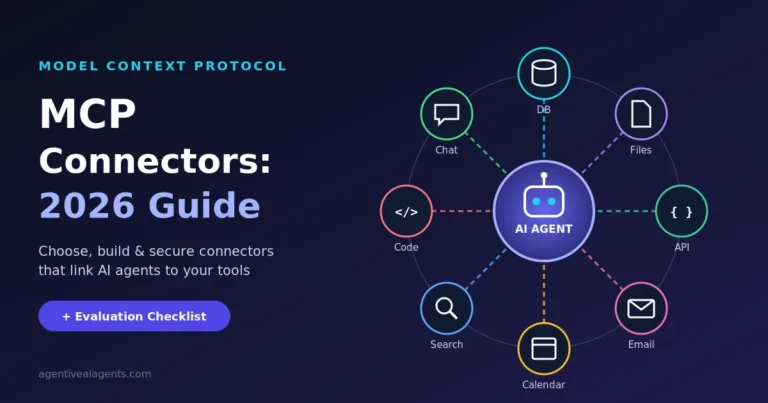
It is possible. Modern artificial intelligence agents have the potential to combine multiple applications through integration and different protocols like MCP allowing them to get data from one system and perform appropriate measures in another system.
Will AI agents take over productivity instruments?
It is more probable that AI agents will alter the manner in which people utilize productivity instruments but not obsolete them. Documents, databases, calendars, communication systems, and project management applications still serve as valuable data and execution layers and it is the role of agents to provide a way of communication between people and these tools.
How can businesses utilize AI productivity tools?
Start with one repetitive process that can be measured. Test retrieval quality, accuracy, time saved, correction effort, permissions, logging, and approval controls as compared to baseline values for efficiency. Only after the AI process is proven to be effective, do businesses go ahead with utilizing it on a larger scale.
Conclusions
The most important innovation in AI functionality for productivity tools in 2026 is the movement from simple support to the implementation of solutions based on context.
Three important transformations can be identified
AI search evolves into knowledge layer that provides answers and connects them to workplace data instead of only relying on the model’s memory.
AI agents transform into workflow systems that plan activities, find data, use tools, and perform complex actions consisting of several steps.
Governance is gradually becoming an important part of productivity management processes through permissions, audits, validations, and human approvals being necessary.
For technical experts and teams, the most effective AI system is not necessarily the one that impresses with its presentation. It is the best one if it removes friction in a measurable way and at the same time proves to be reliable, detectable and manageable.