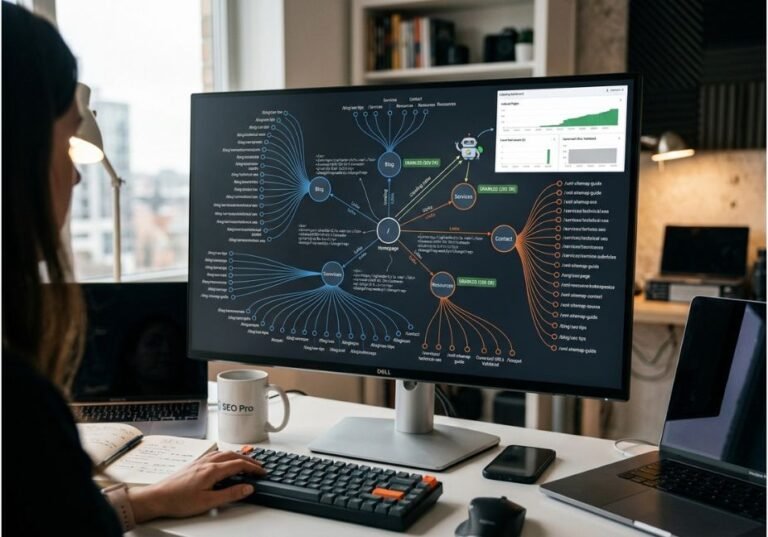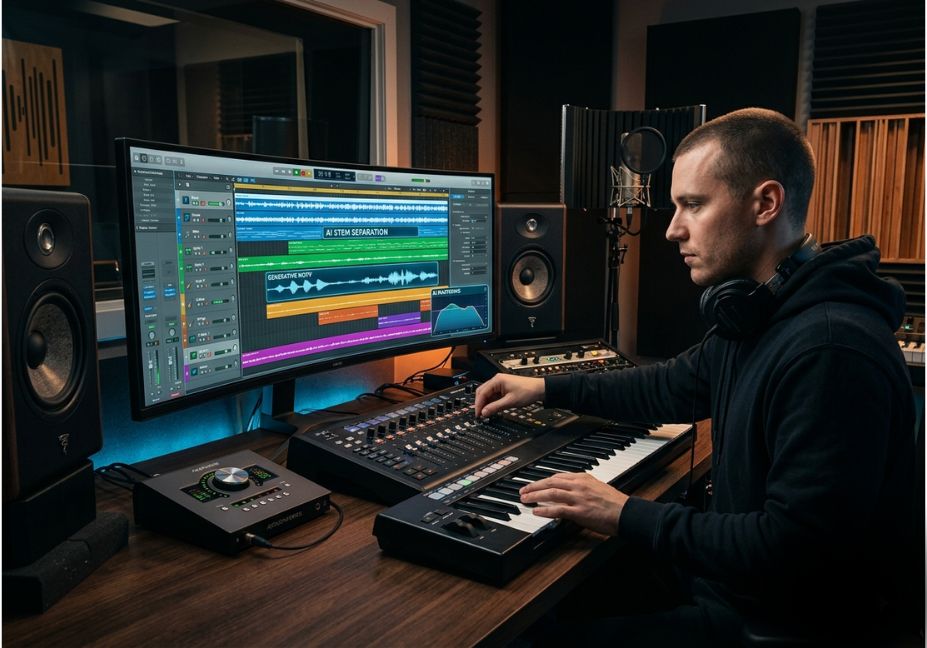
A mastering engineer on Gearspace recently found their finished master had been silently re-processed by a distributor’s “enhance my audio” checkbox after the client had already paid for a human master. That single failure mode says more about the state of AI music production tools in 2026 than any feature list does: the technology is powerful, but it’s easy to apply it in the wrong place. This guide skips the generic “top 10 apps” format and instead organizes tools by the specific bottleneck they remove, drawing on a 2025 user study on text-to-music production workflows conducted with 17 working producers.
There is no single winner. The right AI mastering, stem-separation, or generation tool depends on where in your session the pain actually lives.
What Is AI Music Production?
AI music production refers to using machine-learning models largely deep neural networks trained on large audio or MIDI datasets to generate, edit, clean, mix, or master musical audio. This spans text-to-music generation (typing a prompt to get a full instrumental), stem separation, AI mastering, and vocal restoration.
The category sits inside the broader field of generative music, which predates deep learning by decades but has been transformed by diffusion and transformer architectures over the last three years.
How Do AI Music Production Tools Work?
Most modern tools fall into two architectural families:
- Diffusion and autoregressive generators (used by full-song generators and instrumental engines) synthesize audio or MIDI token-by-token or step-by-step from a text or audio prompt. Meta’s open-source MusicGen repository is a widely cited reference implementation of this approach.
- Discriminative models (used by mastering, EQ, and stem-separation tools) don’t generate new audio they analyze an existing waveform and predict corrective processing: gain curves, EQ moves, or a mask that isolates vocals from instrumentation.
Technical Note: Generation and correction models solve different problems. A generation model invents new audio content; a discriminative model reshapes audio you already have. Confusing the two is the most common reason producers feel a tool “doesn’t sound like them.”
Both families train on large labeled datasets of stems, masters, and reference tracks, then apply what they learned to new audio in seconds rather than the hours a manual pass would take.
AI Music Production Use Cases 5 Real-World Examples
- Demo mastering before a label pitch get a competitive loudness/EQ baseline without booking a mastering engineer.
- Podcast and dialogue cleanup vocal isolation and noise reduction tools strip room tone and hum from home recordings.
- Sample pack and loop generation text-to-music models produce raw material a producer chops and rearranges, rather than a finished track.
- Stem extraction for remixing separating an existing song into vocal, drum, and instrument stems for DJ edits or sample clearance workflows.
- Background music for video and content creators fast, royalty-cleared instrumental generation for YouTube, ads, and podcasts, where commercial rights matter more than artistic depth.
Best AI Tools by Production Bottleneck (2026)
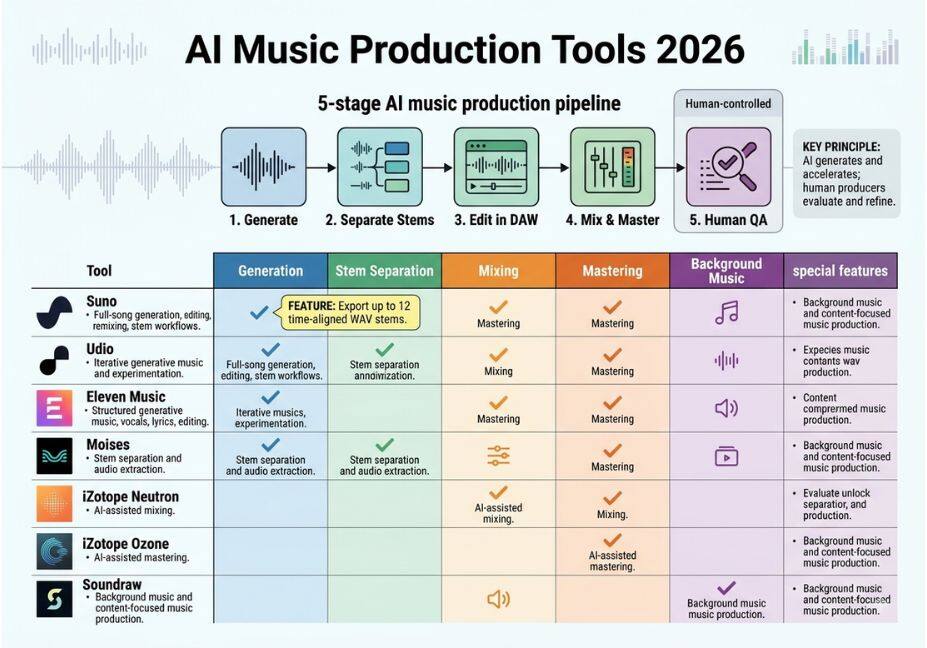
Rather than one ranked list, match the tool to the stage that’s actually slowing you down.
| Bottleneck | Tool category | Example tools | Best for |
|---|---|---|---|
| Idea generation | Text-to-music generator | Suno, MusicGen-based apps | Fast sketch audio, background tracks |
| Editable MIDI | MIDI-first generator | MIDI Agent-style tools | Producers who want revisable notes, not locked audio |
| Stem separation | Source separation | LALAL.AI | Isolating vocals/instruments from existing tracks |
| Mixing | Mixing assistant | Sonible smart:EQ | Corrective EQ and balance across channels |
| Mastering | Automated mastering | LANDR, iZotope Ozone | Streaming-ready loudness and tonal balance |
| Restoration | Audio repair | iZotope RX | De-noising, de-reverb, damaged-recording repair |
Pro Tip: Pick the tool that fixes your current bottleneck, not the one with the flashiest demo. A generator won’t fix a bad mix, and a mastering tool won’t rescue a poorly tracked vocal.
Step-by-Step: A Practical AI-Assisted Production Workflow
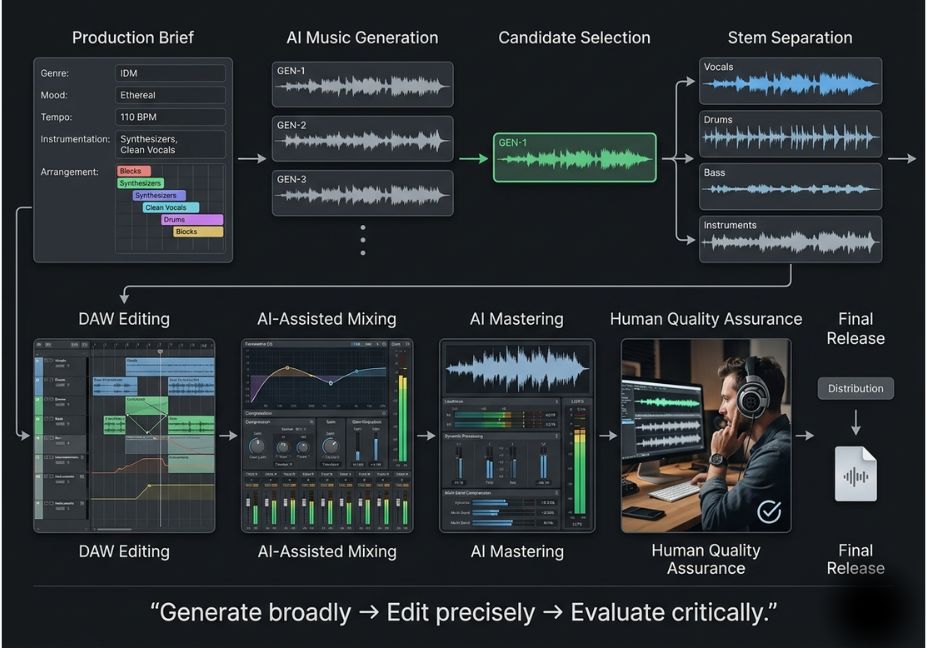
- Sketch the idea. Use a text-to-music generator to produce raw instrumental material or a chord/melody starting point.
- Extract usable stems. If you’re sampling an existing reference or your own rough recording, run it through a source-separation tool to pull clean vocal or instrument layers.
- Clean before you mix. Apply noise reduction and restoration before EQ correcting a noisy signal after mixing wastes the EQ moves you already made.
- Mix with an assistant, not an autopilot. Let a mixing assistant suggest EQ and balance moves, then manually adjust anything that flattens the track’s character.
- Master last, and only once. Run automated mastering on the final mix then lock the file so no downstream service (like a distributor’s upload flow) re-processes it.
A minimal example of calling an open-source generator locally, for producers who want a scriptable step in that pipeline:
python
from audiocraft.models import MusicGen

model = MusicGen.get_pretrained("facebook/musicgen-medium")
model.set_generation_params(duration=15)

descriptions = ["lo-fi hip hop beat, mellow piano, tape hiss"]
wav = model.generate(descriptions)
Technical Disclaimer: Framework versions evolve rapidly. The snippet above reflects the
audiocraftAPI as of mid-2026. Always check the official repository before running it in a production pipeline.
Common Mistakes and How to Avoid Them
- Mastering twice without realizing it. Some distributors apply automated mastering by default during upload. If you already paid a human engineer, decline every “enhance my audio” checkbox.
- Treating generation output as a finished song. Most text-to-music output is raw material, not a mix-ready master budget time for editing.
- Skipping restoration before mixing. Noise and room reflections compound once EQ and compression are layered on top.
- Ignoring commercial rights terms. Free tiers of many generators retain ownership of the output; check licensing before releasing commercially.
- Assuming one tool covers every bottleneck. According to the ISMIR-published user study cited above, producers reported the biggest workflow friction came from stitching together outputs from tools that weren’t designed to interoperate, not from any single tool’s audio quality.
What Producers Are Saying
Community sentiment tracked across forums like r/audioengineering and r/mixingmastering in 2026 is split roughly the way you’d expect: enthusiasm for restoration and stem-separation tools, which save hours of tedious manual work, and skepticism toward full-song generators for anything beyond scratch material or background music. That pattern lines up with a wider shift toward AI-assisted audio production, where companies that started in voice and speech synthesis are expanding into scoring and prompt-based composition treated by working creators as one more stage in the pipeline, not a replacement for the whole session.
FAQ People Also Ask
What is the best AI tool for music production in 2026?
There isn’t one universal best tool it depends on your bottleneck. LANDR and iZotope Ozone lead in AI mastering, LALAL.AI leads in stem separation, and MusicGen-based apps lead in text-to-music generation.
Can AI fully produce a song without a human producer?
AI can generate raw instrumental or vocal material, but arranging, editing, and mixing it into a finished, releasable track still requires human decisions especially around structure and emotional pacing.
Do AI music tools require music theory knowledge?
Not to operate them, but understanding theory helps you evaluate and edit their output. Generators produce plausible-sounding material; theory knowledge helps you judge whether it’s actually good.
Who owns the copyright to AI-generated music?
It depends entirely on the tool’s terms of service. Many free tiers retain platform ownership, while paid tiers typically grant the user commercial rights always check the specific policy before release.
Will AI replace music producers?
Most working producers and industry commentary frame AI as a co-producer that removes repetitive technical work mastering, cleanup, stem prep while creative decisions about arrangement and feel remain human-led.
Conclusion
The most useful way to evaluate AI music production tools in 2026 isn’t a ranked list it’s matching the tool to the specific stage that’s slowing your session down, whether that’s generation, stem separation, mixing, or mastering. Treat automated mastering and generation as a starting point, not a final decision, and double-check what your distributor does to your file after you upload it. Bookmark this guide and come back as your workflow and the tools keep evolving.