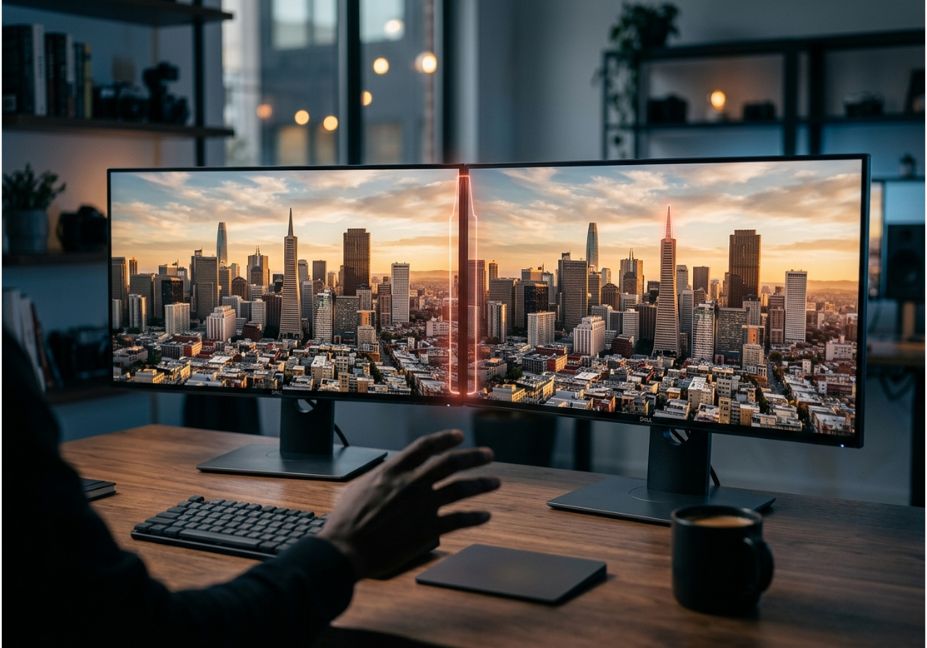
Two screenshots look identical, until QA flags a layout that’s three pixels off. A designer insists nothing changed between drafts, but a client swears the logo shifted. This is exactly the gap an AI tool to compare two pictures for differences is built to close. However, most guides stop at “upload two images, click compare,” without explaining why two different tools can give two different answers for the same pair of photos.
The reason comes down to method. Some tools compare raw pixels. Others use a structural similarity index that quantifies perceptual difference based on luminance, contrast, and structure. Meanwhile, the newest generation uses vision-language embeddings the same family of models behind CLIP to judge whether two images are semantically the same, even when the pixels don’t match at all.
So, this guide breaks down how each approach works, when to use it, and how to build a comparison pipeline that doesn’t drown you in false positives.
Key Takeaways
- Pixel diffing is best for pixel-perfect QA, but it breaks on any resize or compression.
- Perceptual hashing is ideal for catching near-duplicate or lightly edited images.
- SSIM tracks how humans actually perceive visual change.
- CLIP-style embeddings are the only method that reliably judges “same subject, different photo.”
- Therefore, the right AI tool to compare two pictures for differences is the one that matches your specific task not the one with the most features.
What Is AI-Powered Image Comparison?
AI image comparison is the process of using a model or algorithm to detect and localize differences between two images, rather than relying on the human eye. In other words, it answers the question “how does AI detect image differences?” by converting each picture into a comparable representation and measuring the distance between them.
It sits on a spectrum: exact pixel-level diff at one end, human-perceptual metrics like SSIM in the middle, and semantic similarity from deep embeddings at the other. These measurements are most useful for determining the graphical similarity between two images that have subtle differences invisible to the human eye. As a result, picking the wrong point on that spectrum is the single biggest cause of noisy, unreliable comparison results.
How Does AI Image Comparison Work?
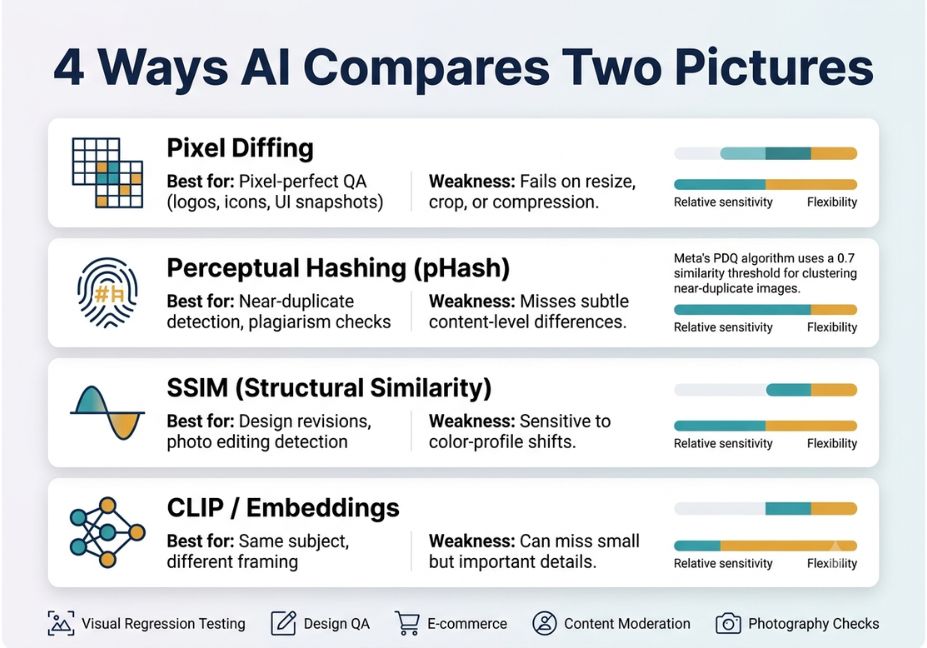
Under the hood, most tools use one or a blend of four techniques. Here’s how each works:
- Pixel diffing subtracts pixel values directly. It’s extremely sensitive, so it breaks on any resize or compression.
- Perceptual hashing (pHash) converts a grayscale image into the frequency domain using a discrete cosine transform, then derives a hash by comparing values in that transform. As a result, near-identical images produce near-identical hashes even after minor edits.
- Structural Similarity (SSIM) quantifies similarity based on luminance, contrast, and structure, closely tracking how humans actually perceive change.
- Embedding-based semantic comparison encodes each image into a vector using a model like CLIP, then compares vectors with cosine distance. Consequently, this method accurately identifies images that are perceptually similar or different even when pixel-level metrics like SSIM disagree, because it captures meaning rather than pixels.
Pro Tip: If your two images could be different resolutions, crops, or file formats, skip raw pixel diffing entirely. Otherwise, it will report differences that aren’t real.
Which Method Should You Use? (Pixel vs. Perceptual vs. Semantic)
Not every comparison job needs the same tool. Instead, matching the method to the task is what separates a reliable pipeline from a noisy one.
| Method | Best for | Weakness |
|---|---|---|
| Pixel diff | Pixel-perfect QA (logos, icons, UI snapshots) | Fails on any resize, crop, or compression |
| Perceptual hash | Near-duplicate detection, plagiarism checks | Misses subtle content-level differences |
| SSIM | Design revisions, photo editing detection | Sensitive to color-profile shifts |
| CLIP / embeddings | “Same subject, different framing” comparisons | Can miss small but important details |
Did You Know? Meta’s PDQ perceptual hashing algorithm calculates a normalized Hamming distance between image fingerprints and is widely used to cluster near-duplicate images at scale, including in misinformation research.
Real-World Use Cases: Best Free AI Tool to Compare Two Pictures by Task
Because “best” depends on context, here’s how the choice plays out in practice:
- Visual regression testing catching unintended UI changes after a code deploy.
- Design QA confirming a revised mockup matches the approved layout.
- E-commerce verifying a seller’s listing photo matches the actual product.
- Content moderation and forensics detecting re-uploaded or lightly edited images.
- Photography and editing checks spotting retouching or lighting changes between shots, similar to what Adobe Photoshop’s built-in comparison tools attempt, but with more transparency into the underlying score.
Best Tools and Frameworks for AI Image Comparison
For a single, casual comparison, a browser-based slider or overlay tool is enough. But for anything repeatable QA pipelines, moderation queues, dataset dedup a scriptable approach beats a manual upload-and-click workflow.
- OpenCV the standard library for pixel diffing and SSIM in Python; free, fast, fully scriptable.
- imagehash (Python) lightweight perceptual and difference hashing.
- CLIP via Hugging Face best for semantic “are these the same scene or object” comparisons, using open-source vision-language models like CLIP.
- Cloud vision APIs services like Google Cloud Vision AI and Amazon Rekognition offer managed label- and object-level comparison, useful when you don’t want to host a model yourself.
- ImageMagick / TinEye ImageMagick handles low-level pixel comparison at the command line, while TinEye is built specifically for reverse image search and duplicate detection across the web.
- Consumer web tools (slider/overlay comparators) fastest for a single manual check, but not built for automation.
Technical Note: Framework versions evolve rapidly. Any code referencing OpenCV or Hugging Face transformers in this article assumes current stable releases as of 2026 always check the official docs before deploying.
Step-by-Step: How to Compare Two Images for Differences Using AI
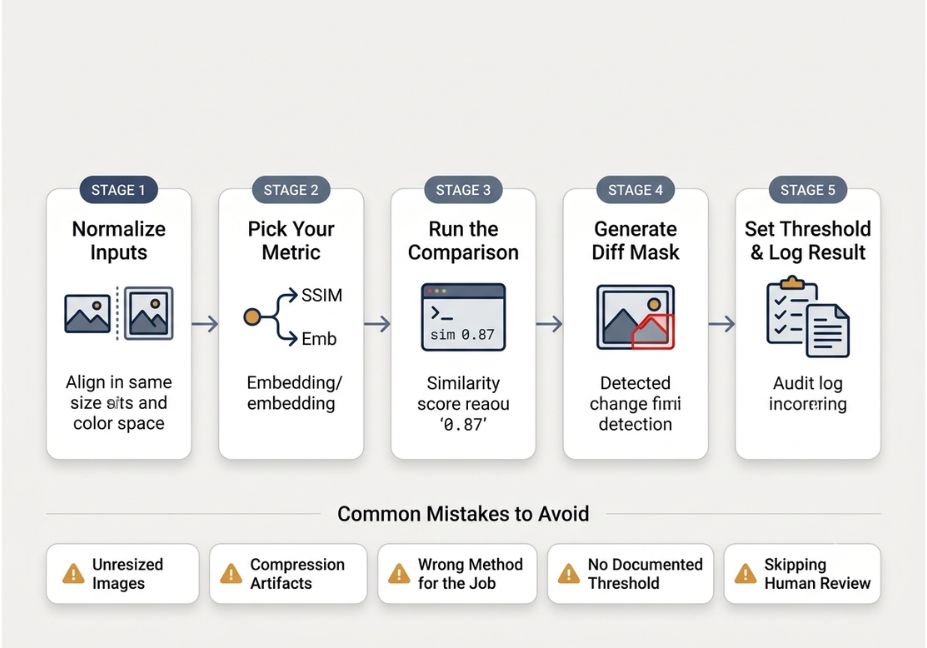
- Normalize inputs. Resize both images to the same dimensions and color space before comparing anything.
- Pick your metric. Use SSIM for perceptual QA, or embeddings for semantic checks, based on the table above.
- Run the comparison. Here’s a minimal SSIM check in Python:
python
from skimage.metrics import structural_similarity as ssim
import cv2

img1 = cv2.imread("before.png", cv2.IMREAD_GRAYSCALE)
img2 = cv2.imread("after.png", cv2.IMREAD_GRAYSCALE)

score, diff_mask = ssim(img1, img2, full=True)
print(f"Similarity score: {score:.3f}")- Generate a diff mask to visually localize where the change occurred, instead of outputting just a single score.
- Set a threshold, document it, and log every comparison result as an auditable artifact.
Common Mistakes and How to Avoid Them
- Comparing images at different resolutions without resizing first, which inflates the diff score for no real reason.
- Ignoring compression artifacts for example, a single JPEG re-save can trigger a false positive on pixel diff.
- Using one method for every job. Pixel diff on a “same subject, different angle” comparison will almost always fail.
- Skipping a documented threshold, which makes results impossible to reproduce or defend later.
- Skipping human review for anything with legal or brand risk, even when the AI score looks conclusive.
What Developers Are Saying
Discussions on image comparison tooling come up regularly in computer vision communities, and the recurring theme is consistent: no single metric is universally “correct.” Instead, the right choice depends entirely on whether you need exact, perceptual, or semantic matching.
FAQ People Also Ask
There isn’t one universal answer. For pixel-exact QA, a pixel-diff tool built on OpenCV is best. For general perceptual differences, an SSIM-based comparator works well. For “same subject, different framing,” a CLIP-based semantic similarity tool fits best.
They convert each image into a comparable representation raw pixels, a perceptual hash, or a deep embedding. Then they measure the distance or similarity score between the two representations and highlight where that distance is concentrated.
Yes, when it uses embedding-based semantic similarity. However, pixel-level and hashing methods generally cannot, since they depend on similar framing and lighting.
Because they use different underlying methods. A pixel-diff tool and a CLIP-based tool measure fundamentally different things exact pixel match versus semantic meaning so disagreement is expected, not a bug.
For quick, one-off checks, yes. But for QA pipelines, legal, or brand-compliance use cases, a documented and scriptable approach with a fixed threshold and human review is safer than a single score from a black-box web tool.
Yes. Open-source options like OpenCV and imagehash are free and run locally, while several browser-based comparison tools offer free tiers for occasional, one-off checks.
Conclusion
Choosing the right AI tool to compare two pictures for differences comes down to matching the method to the job: pixel diffing for exact-match QA, SSIM for perceptual design checks, and CLIP-style embeddings for semantic “same idea, different image” comparisons. First, normalize your inputs. Then document your thresholds. Finally, keep a human in the loop for anything high-stakes. Bookmark this guide, and explore more hands-on AI tooling breakdowns at agentiveaiagents.com.