
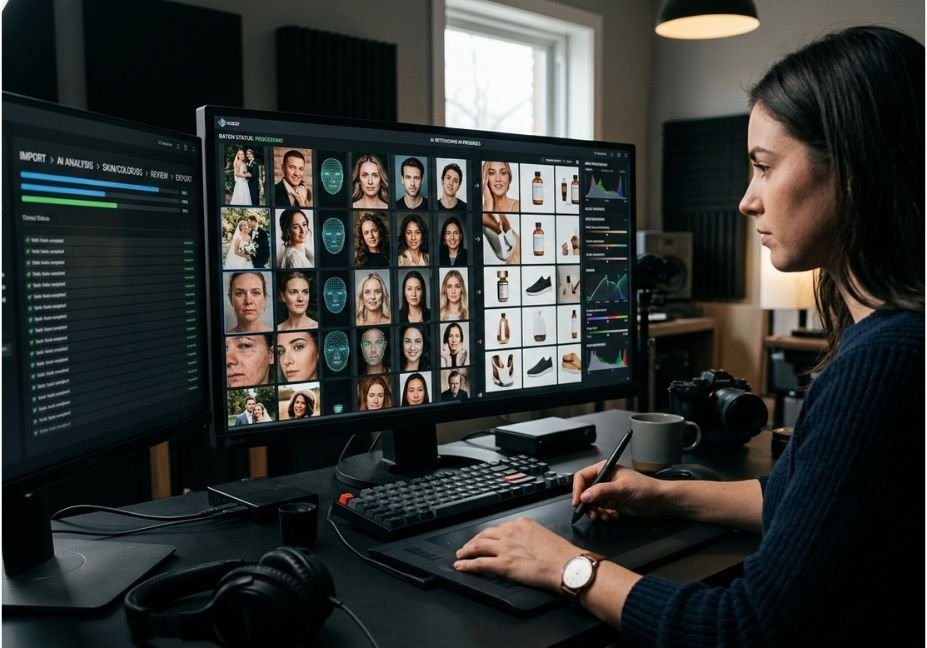
A wedding photographer culling and editing 3,000 images by hand loses roughly a full week of billable time per shoot. AI bulk photo retouching tools collapse that into minutes by running a batch processing pipeline instead of a manual layer stack but most guides stop at “click the button” and never explain why the output sometimes drifts off a subject’s real skin tone or flattens fine detail. That drift isn’t random; it’s a direct consequence of which generative model is doing the work and how the batch is orchestrated.
This guide breaks down the actual architecture behind bulk retouching GFPGAN-style facial priors, Real-ESRGAN upscaling, and diffusion-based restoration alongside the tools built on top of them, so you can pick a stack instead of a slogan.
What Is AI Bulk Photo Retouching?
AI bulk photo retouching is the automated application of skin smoothing, exposure correction, color grading, and detail restoration across an entire folder or gallery of images in a single processing pass, rather than editing each photo individually. It relies on a batch processing pipeline that feeds every image through the same trained model or preset logic, applying consistent adjustments without per-photo manual masking.
Under the hood, most tools chain two model types: a face-specific restoration network that draws on generative priors learned by a pretrained StyleGAN2 model to rebuild degraded facial detail, and a general-purpose upscaler for background and texture. In practice this plays out as a two-stage pipeline an initial pass recovers identity and structure, and a second pass injects finer texture on top.
How Does AI Bulk Retouching Actually Work?
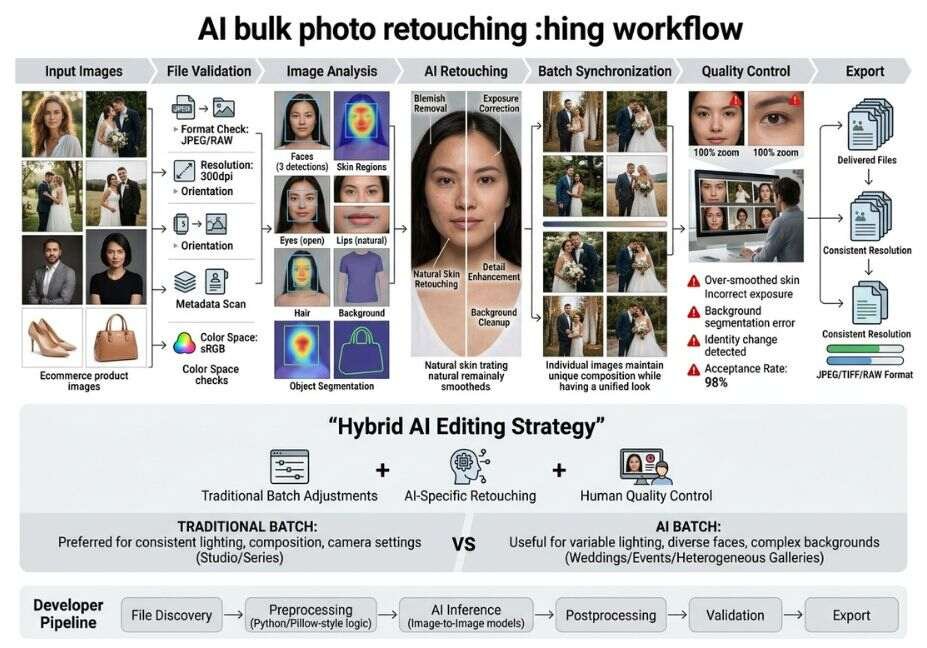
The engineering behind “one click, whole gallery” retouching breaks into four stages:
- Ingest & detection the pipeline scans each file, detects faces and subjects, and normalizes formats (JPG, TIFF, RAW).
- Generative restoration a generative adversarial network (architecture explained on Wikipedia) or diffusion model reconstructs facial detail. Tools built on GFPGAN’s generative facial prior model, a PyTorch-based face restoration framework, are common here it’s designed to handle “blind” restoration, meaning it can recover a face without knowing in advance what kind of damage or degradation the original photo has.
- Background/detail upscaling a separate model, often Real-ESRGAN, handles non-facial texture and resolution so the face model isn’t stretched to do everything.
- Consistency pass & export color and exposure are normalized across the batch so image 1 and image 3,000 match, then files export in the target format and size.
Technical Note: This is functionally identical to a multi-step agent pipeline a planner (batch queue), a tool-use step (the restoration model), and a validation step (consistency check) just applied to pixels instead of text.
Architect’s angle aside, the field’s benchmark research backs this stack choice. Teams competing in the NTIRE 2025 challenge on real-world face restoration converged on the same pattern: use a GAN-based model like GFPGAN for coarse restoration first, then hand the result to a diffusion-based super-resolution stage to refine fine facial detail confirming that a two-stage architecture, not a single monolithic model, is currently state of the art.
AI Bulk Photo Retouching Use Cases
- Wedding & event photography Aftershoot and Imagen AI train on 1,500–3,000 of a photographer’s past edits, then reproduce that personal style automatically; one workflow reportedly moves through roughly 4,000 images in about 10 minutes once trained.
- E-commerce catalogs Photoroom’s Consistency Engine holds lighting steady across an entire product catalog, and its Pro tier supports batches of up to 1,000 images at a time.
- Old photo restoration & archives dedicated restoration models recover damaged or low-resolution scans at scale rather than one photo at a time.
- Real estate galleries batch brightening and lens correction across full property shoots in one pass.
Did You Know? Most “AI photo editor” tools marketed to consumers (Canva, Fotor, Pixlr) are not built for true bulk workflows they apply per-image AI filters, not a trained, style-consistent batch pipeline. If you need gallery-wide consistency, that distinction matters more than the marketing copy suggests.
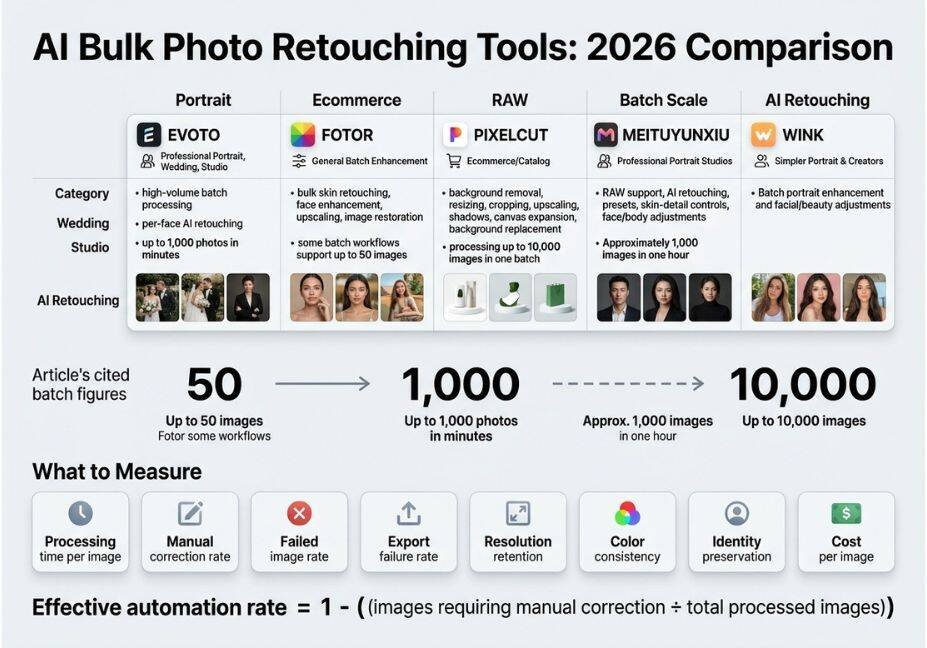
Best AI Bulk Retouching Tools and Frameworks Compared
| Tool | Best For | Batch Ceiling | API / Automation |
|---|---|---|---|
| Aftershoot | Wedding/event photographers | Full gallery, style-trained | Desktop app, limited API |
| Imagen AI | High-volume event shooters | Cloud-based, per-image billing | Lightroom Classic plugin |
| Evoto AI | Studio portrait retouching | Multi-format batch (JPG/PNG/TIFF/RAW) | Desktop batch editor |
| Photoroom | E-commerce/product catalogs | Up to 1,000 images/batch (Pro) | Full REST API |
| Retouch4Me | Photography studios | Hundreds per run | Plugin-based (Photoshop, Lightroom, Capture One) |
Pro Tip: If your workflow needs to trigger retouching from a script or app (not a desktop GUI), filter this list down to tools with a documented REST API Photoroom and Pixelbin are currently the most developer-accessible options for programmatic batch calls.
Step-by-Step: Building a Simple Batch Retouching Pipeline
For teams that want to automate retouching inside a larger content pipeline rather than click through a desktop app, a minimal batch script looks like this:
python

import os
from gfpgan import GFPGANer
import cv2

restorer = GFPGANer
    model_path='GFPGANv1.4.pth',
    upscale=2,
    arch='clean',
    channel_multiplier=2


input_dir, output_dir = 'raw_photos', 'retouched_photos'
os.makedirs(output_dir, exist_ok=True)

for filename in os.listdir(input_dir):
    img = cv2.imread(os.path.join(input_dir, filename))
    _, _, restored_img = restorer.enhance(
        img, has_aligned=False, only_center_face=False, paste_back=True

    cv2.imwrite(os.path.join(output_dir, filename), restored_img)
This loop is the mechanical backbone behind most commercial batch tools swap in GFPGAN’s generative facial prior model for face detail and pair it with Real-ESRGAN’s background super-resolution model if you need full-frame upscaling too.
Technical Disclaimer: Model versions evolve quickly. The code above reflects GFPGAN v1.4 as of mid-2026 always check the official GFPGAN GitHub repository for current weights and API changes before deploying to production.
Common Mistakes and How to Avoid Them
- Skipping a validation step. Bulk pipelines without a QA pass ship identity drift and hallucinated detail straight to clients. Add a spot-check sample (5–10% of the batch) before export.
- Using a single model for everything. Face restoration models aren’t tuned for background texture, and vice versa chaining a dedicated upscaler with the face model produces noticeably better results than forcing one network to do both jobs.
- Ignoring batch-ceiling limits. Tools advertise “bulk” but cap free tiers at 10–50 images; check the real limit before promising a client a same-day turnaround.
- Assuming general-purpose image generators can retouch. General chat-based image tools are built for generation, not precision, localized retouching they don’t reliably preserve skin texture or fix fine details like flyaway hairs the way a purpose-built retouching model does.
What Developers Are Saying
Engineers building on open-source restoration models frequently discuss trade-offs between GAN-based priors and newer diffusion approaches in developer communities like r/MachineLearning and r/LocalLLaMA, where the recurring theme is that GAN-based restoration (GFPGAN-style) is faster and cheaper to run at batch scale, while diffusion-based restoration produces higher fidelity but at meaningfully higher compute cost per image — a real trade-off to weigh before choosing a stack for a production pipeline.
FAQ People Also Ask
What is AI bulk photo retouching?
AI bulk photo retouching is the automated application of skin smoothing, color correction, and detail restoration across an entire batch of images using a trained model pipeline, rather than editing each photo individually by hand.
Can ChatGPT or other general LLMs do bulk photo retouching?
Not reliably. General-purpose AI image generators can perform basic edits like object removal, but they lack the precise, localized controls texture-preserving skin retouching, flyaway hair fixes, identity-consistent color grading that dedicated retouching models provide.
How many photos can AI batch editors process at once?
It varies widely by tool: some process a few hundred images per run, while enterprise-tier tools like Photoroom’s Pro plan handle up to 1,000 images per batch, and style-trained tools like Aftershoot can move through thousands in minutes.
Is AI bulk retouching good enough for professional client delivery?
For most volume work weddings, e-commerce catalogs, events yes, especially when paired with a spot-check QA step. For hero shots, cover images, or brand-critical assets, a human retoucher pass is still standard practice.
What’s the difference between AI batch editing and Lightroom presets?
Presets apply the same fixed adjustment values to every photo regardless of content. AI batch editing analyzes each image individually detecting faces, exposure, and skin tone and adapts the retouching to that specific photo while keeping the overall look consistent across the batch.
Conclusion
Bulk photo retouching isn’t magic it’s an orchestration problem, chaining a face-restoration model like GFPGAN with a background upscaler and a consistency pass across a whole batch. Understanding that pipeline is what separates picking the right AI bulk photo retouching tool for your workflow from picking whichever one ranks first on Google. Whether you’re wiring up a Python script for a content pipeline or choosing between Aftershoot, Photoroom, and Evoto for a client gallery, match the tool to your batch size, API needs, and QA tolerance not the marketing copy.
Bookmark this guide and explore more hands-on automation and pipeline breakdowns at agentiveaiagents.com.



