
AI Landscape Design Tools That Pros Don’t Share
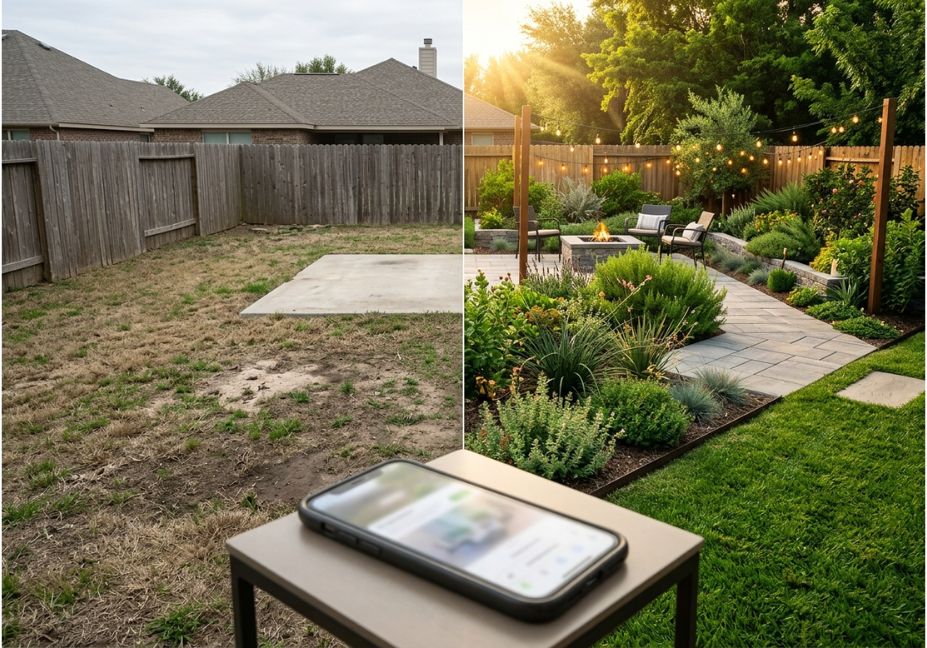
A landscape architect consultation runs $50–$150 an hour before a single plant goes in the ground. AI landscape design tools collapse that first step to under a minute. You upload a photo, pick a style, and a generative AI image model hands back a photorealistic render sometimes with a plant list matched to your climate, and sometimes just a pretty picture with no botanical grounding at all. That gap between “pretty” and “buildable” is the real story of this category in 2026. As a result, picking the wrong tool for your project wastes more time than it saves.
This guide breaks the category into the three ways people actually use these tools: quick homeowner inspiration, professional client proposals, and architect-grade site analysis. Along the way, it flags exactly where each tool type tends to overpromise.
What Is an AI Landscape Design Tool?
An AI landscape design tool takes a photo, sketch, or written description of an outdoor space and generates a redesigned visualization new plants, hardscape, lighting, or layout usually in under 60 seconds. In other words, it replaces the first rough sketch a designer would normally hand-draw. The stronger tools cross-reference results against a plant database filtered by climate and sun exposure. The weaker ones simply generate an attractive image with no regard for whether the plants would actually survive where you live.
Long-tail terms covered here: “best ai landscape design app for beginners,” “free ai landscape design tool for front yard.”
How Do AI Landscape Design Tools Actually Work?
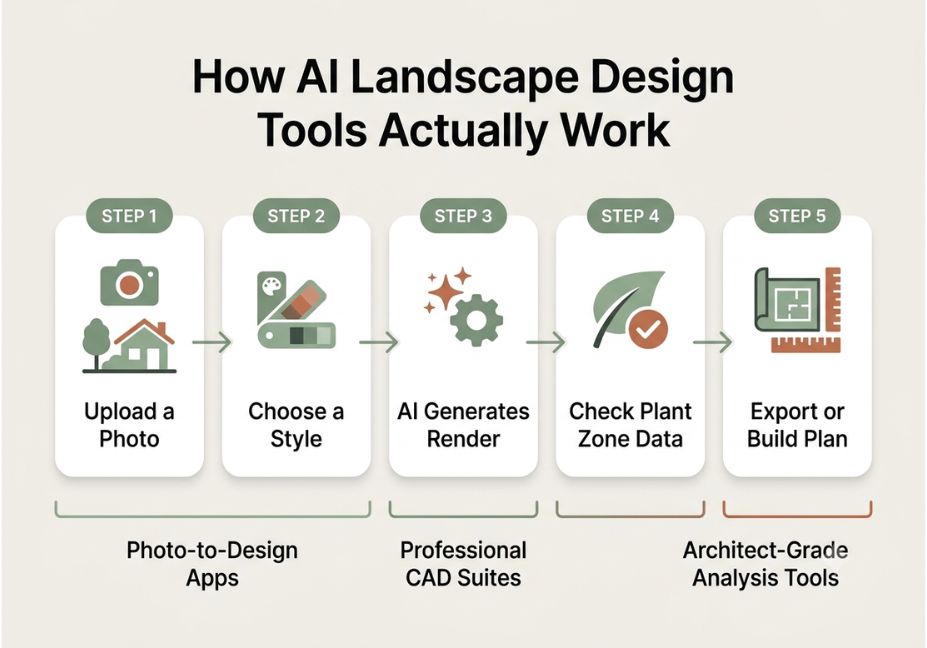
Most consumer tools follow the same basic pipeline: photo upload, style selection, diffusion-based image generation, and in the better products a plant-list overlay checked against your local hardiness zone. Professional tools add a second layer on top of that: CAD drafting, terrain modeling built from a photogrammetry scan, or full microclimate simulation before anything is generated.
Broadly, three tiers exist:
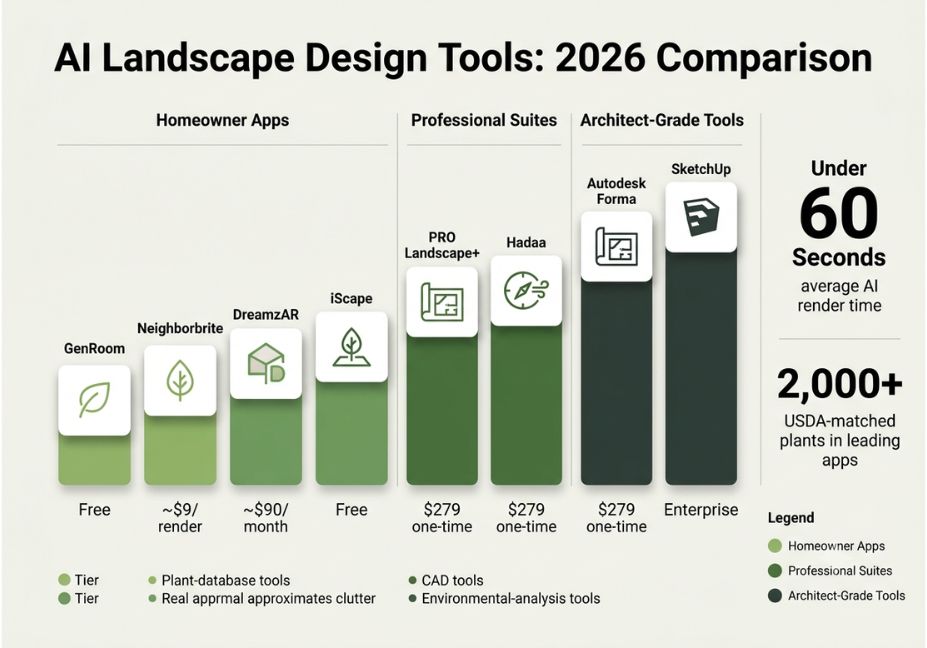
- Photo-to-design apps (GenRoom, Neighborbrite, DreamYard) fastest and cheapest, but least technically rigorous.
- Professional suites (PRO Landscape+) CAD output, material estimating, and client-ready proposals.
- Architect-grade tools (Autodesk Forma, Rhino-based plugins with BIM workflows) full site analysis, grading, and ecological modeling.
Technical Note: Generic AI image generators will cheerfully render tropical palms in a zone 4 climate. So if a tool’s marketing never mentions hardiness-zone filtering, assume it doesn’t do it.
What’s the Best AI Landscape Design Tool for a Small Backyard?
For a small backyard, a lightweight photo-to-design app is almost always the right call rather than a full CAD suite. Neighborbrite and GenRoom both generate free, fast concepts without requiring measurements, which suits a smaller space where the main question is “which style looks right here,” not “how do I grade this.” For anyone who wants to walk the actual space with a design overlaid in real time, DreamzAR’s ARKit-based augmented reality mode is the more precise choice, since it previews scale directly against your real yard instead of a flat rendering.
AI Landscape Design Use Cases 5 Real Examples
- Curb appeal testing homeowners try three to five front-yard styles before calling a contractor.
- Patio and hardscape planning testing paver patterns and fire pit placement before quoting materials.
- Client proposals landscapers use CAD-integrated tools to generate construction-ready drawings and pricing in one pass.
- Site analysis architects run sun, wind, and noise simulations before a single render is made.
- AR on-site placement apps built on Apple’s ARKit let a designer “place” a plant in real space on a phone screen to check true scale.
Best AI Landscape Design Tools Compared
| Tool | Best For | Plant/Climate Data | Output | Approx. Price |
|---|---|---|---|---|
| GenRoom | Fast homeowner inspiration, 18 styles | Basic style-based, not zone-verified | Photorealistic render | Free tier + paid credits |
| Neighborbrite | Free quick concepts | Location-based plant filtering | Styled render | Free |
| DreamzAR | On-site AR placement (iOS) | 2,000+ USDA-matched plants | AR walkthrough | Subscription |
| PRO Landscape+ | Professional contractors | Real paver/product catalogs | CAD drawings + proposals | ~$90/mo or $900/yr |
| Hadaa | Homeowner-to-pro range | 660+ plants with growth data | Renders + technical drawings | Per-render from $9, or $279 one-time (Pro Studio) |
| Autodesk Forma | Pre-design environmental analysis | Microclimate, sun, wind, noise | Analytical overlays | Enterprise pricing |
| SketchUp (+AI rendering) | Full manual 3D control | None built-in | 3D model + AI-styled render | Free–subscription tiers |
| iScape | Manual photo-based sketching | Curated plant library | Layered photo edit | Free + in-app purchases |
Pro Tip: Start with a free tier if you only need inspiration. But if you need a buildable plan, skip straight to a CAD-integrated tool, because a pretty render with no measurements isn’t actually a plan.
Step-by-Step: How Do You Use an AI Landscape Design Tool?
- Take a straight-on, well-lit photo of the space, avoiding harsh shadows.
- Choose a style, or describe your goal in plain language for example, “drought-tolerant, low-maintenance front yard.”
- Generate three to five variations instead of accepting the first result.
- Cross-check any suggested plants against your actual hardiness zone before treating the list as final.
- Once you’re moving toward construction, hand the concept to a tool or a human that produces measured drawings, since a render alone is not a build plan.
# Simple pseudocode for how photo-to-design pipelines typically work
image = upload_photo()
style = select_style(style_name)
render = generative_model.generate(image, style)
if tool.has_plant_database:
    plant_list = filter_by_zone(render.detected_species, user_zone)
return render, plant_list
Common Mistakes and How to Avoid Them
- Trusting the render’s plant choices blindly. Generic AI image generators produce gorgeous renders of plants that won’t survive your climate, so always verify against your local hardiness zone.
- Treating a render as a construction document. A photorealistic image is not a grading plan, a materials list, or a permit-ready drawing.
- Ignoring drainage and grading. None of the photo-to-design apps account for slope or water flow, which is still a job for a human or a dedicated site-analysis tool.
- Assuming AI replaces a landscape architect for complex sites. For simple curb-appeal changes, AI tools are enough. However, anything involving grading, retaining walls, or drainage still calls for professional input.
What Are Users Saying About AI Landscape Design Tools?
Sentiment across landscaping communities discussing these tools consistently splits along the same line seen in the comparison table above. Homeowners are enthusiastic about how fast and cheap inspiration has become, while professionals stay more skeptical of any tool that skips plant-database verification or measured output. Overall, the pattern is clear: speed and realism have improved dramatically, but “buildable” and “pretty” remain two different bars.
FAQ — People Also Ask (Voice-Search Optimized)
What is an AI landscape design tool?
An AI landscape design tool converts a photo or description of an outdoor space into a redesigned visualization using generative AI, often paired with a plant database filtered by climate and sun exposure.
Are AI landscape design tools accurate?
Accuracy varies. Tools with built-in hardiness-zone filtering and real plant databases are far more reliable than generic AI image generators, which can render plants that won’t survive in your area.
Can AI landscape tools replace a landscape architect?
For simple visualization and curb-appeal testing, yes. But for grading, drainage, retaining walls, or permit-level drawings, professional expertise is still recommended.
What’s the difference between AI landscape apps and CAD software like SketchUp?
Photo-to-design AI apps generate quick visual concepts from a single photo, while CAD tools like SketchUp produce measured, editable 3D models suitable for construction planning though several now add AI rendering on top.
How much do AI landscape design tools cost?
Pricing ranges from free tiers, like Neighborbrite and GenRoom, to per-render pricing, like Hadaa starting at $9, up to professional subscriptions such as PRO Landscape+ at roughly $90 per month.
Is there a free AI landscape design app for a front yard?
Yes. Neighborbrite and GenRoom both offer free tiers that generate front-yard concepts from a single uploaded photo, with no measurements or CAD skills required.
Conclusion
AI landscape design tools have made the first step of yard planning seeing what’s possible nearly instant and largely free. The category splits cleanly into three tiers: fast homeowner inspiration apps, CAD-integrated professional suites, and architect-grade environmental analysis tools. Picking the wrong tier is the single most common mistake people make. So whichever AI landscape design tool you choose, treat the render as a starting point, verify any plant suggestions against your actual climate, and bring in a human for anything involving grading or construction. Bookmark this guide and explore more AI tool comparisons at agentiveaiagents.com.