
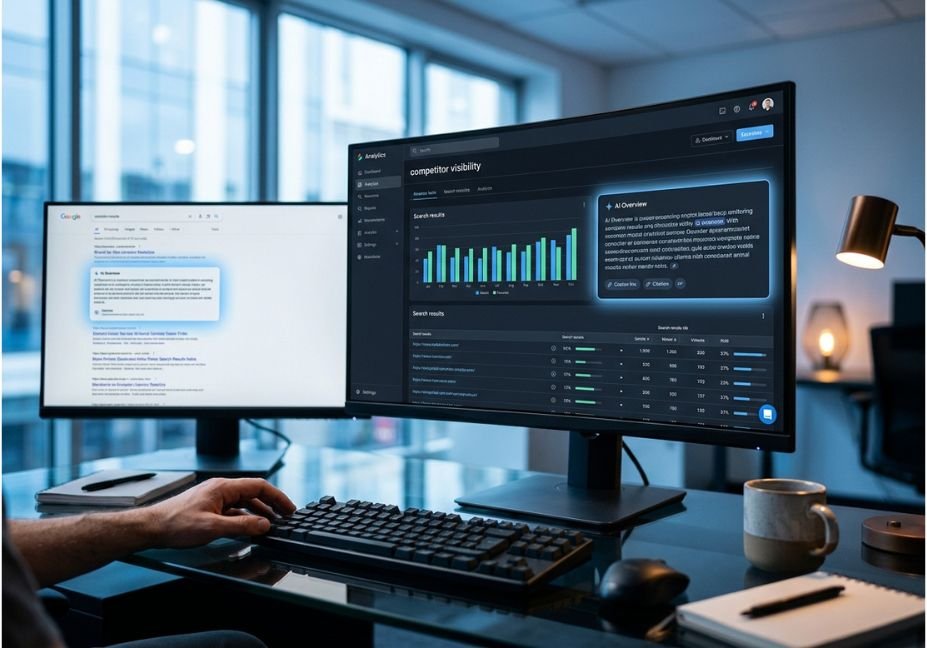
Most teams find out a competitor owns an AI Overview the same way they find out a server went down after the traffic graph has already dropped. By the time someone types the query into Google and sees a rival’s docs page quoted inside the summary box, the citation has usually been there for weeks.
In other words, this is a monitoring gap, not a content gap. AI Overviews now behave less like a ranked list and more like a small retrieval system. First, Google fans a query out into sub-questions. Then it retrieves candidate passages, and finally a model selects which sources to cite. If you think about this the way you’d think about a RAG pipeline where retrieval quality plus extractability determines what gets surfaced the tooling problem becomes familiar. This guide therefore covers the tools built specifically to track who gets cited, how they differ, and how to check your own visibility for free, including how to check if a competitor is showing up in Google’s AI answers before your customers notice.
What Is AI Overview Competitor Tracking?
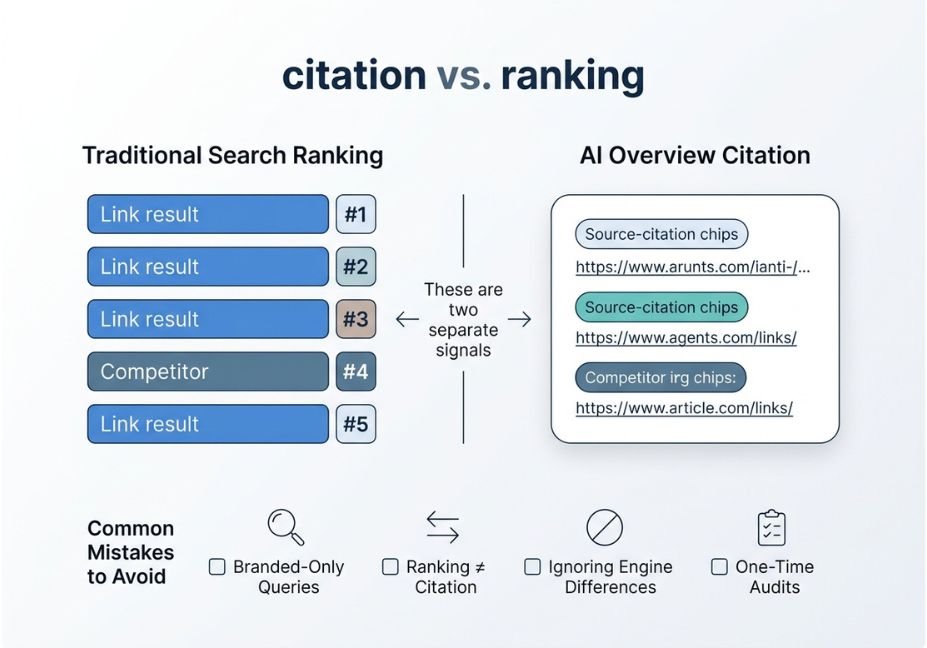
AI Overview competitor tracking is the practice of running a fixed set of search queries on a schedule and logging which domains get cited or linked inside Google’s generated summary. This differs from traditional rank tracking, which measures position in the blue links below the summary rather than presence inside it. As a result, a page can rank at position four organically and still be the only source quoted in the overview or the reverse can happen just as easily.
According to Google’s own guidance on AI features and your website, AI Overviews and AI Mode surface links using the same underlying index as classic search. However, citation and ranking are separate signals, which is exactly why dedicated tracking tools exist: to make that gap visible instead of anecdotal.
How Does AI Overview Tracking Actually Work?
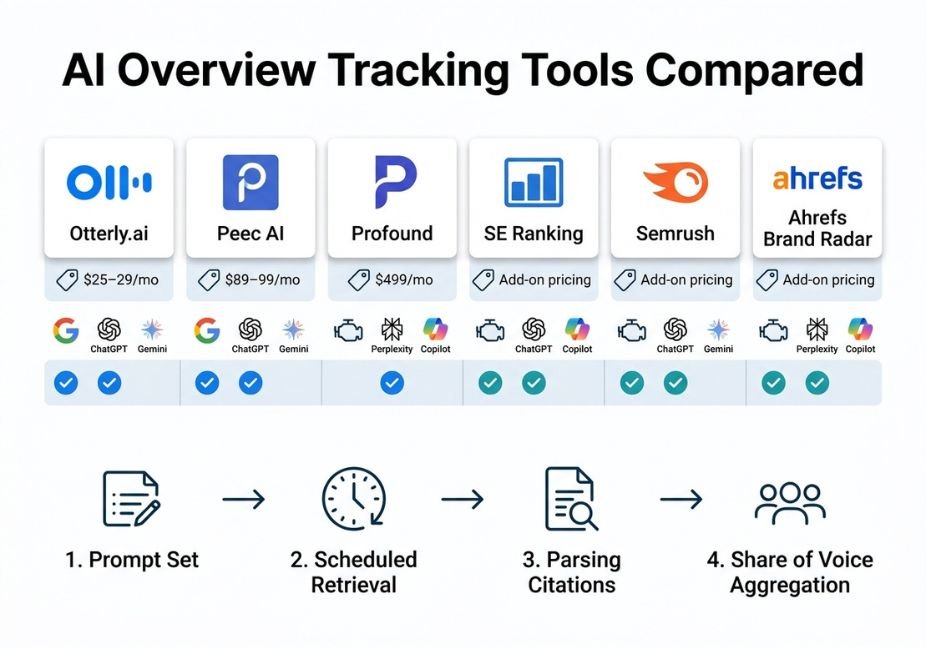
Every tool in this category follows roughly the same architecture, even when the dashboards look different. Specifically, the workflow breaks down into four steps:
- Prompt set you define target queries, including branded, category, and competitor-adjacent searches.
- Scheduled retrieval the tool runs those prompts against Google, and often against ChatGPT, Perplexity, Gemini, and Copilot too, at set intervals.
- Parsing it detects whether an AI Overview fired, then extracts cited domains and URLs, and records position within the citation list.
- Aggregation finally, mentions roll up into a share of voice metric per brand, topic, or competitor.
Technical note: This is structurally the same loop as an evaluation harness for a retrieval-augmented generation system a fixed prompt set, a retrieval trace, source attribution, and aggregate scoring. That’s why teams already building agentic pipelines tend to pick this up quickly.
Best Tools to See Which Competitors Show Up in AI Overviews
If you’re comparing options, here’s how the major platforms stack up:
| Tool | Google AI Overviews coverage | Other engines | Entry price (verify current) | Best for |
|---|---|---|---|---|
| Otterly.ai | Yes, core plan | ChatGPT, Perplexity, Copilot; Gemini/AI Mode as add-ons | ~$25–29/mo, 15 prompts | Small teams proving the concept |
| Peec AI | Yes | ChatGPT, Gemini, Claude, Perplexity, Copilot, AI Mode | ~$89–99/mo | Mid-market competitive intelligence |
| Profound | Yes, deep source-level detail | ChatGPT, Claude, Gemini, Perplexity | ~$499/mo, demo-led | Enterprise programs, agencies |
| SE Ranking (AI Search Toolkit) | Yes | ChatGPT, Perplexity, Gemini, AI Mode | Bundled with existing SEO plans | Teams already on SE Ranking |
| Semrush (AI Visibility Toolkit) | Yes, Competitor Research report | Multiple engines | Add-on to Semrush plans | Existing Semrush users |
| Ahrefs Brand Radar | Yes | Multiple engines | Higher-tier Ahrefs plans | Existing Ahrefs users with larger budgets |
Did you know? Several vendors bill Gemini and Google AI Mode as separate line items on top of the base AI Overviews plan, so it’s worth checking before comparing sticker prices.
Pro tip: If you already pay for Semrush, Ahrefs, or SE Ranking, check their AI visibility add-ons first. Coverage is shallower than a specialist tool like Peec or Profound, but it avoids adding a new vendor for a first pass.
Now that you know what the market looks like, here’s how to check competitor visibility without paying for anything.
Step-by-Step: How to Check If a Competitor Is Cited in AI Overviews (No Tool Required)
- Build a prompt list. Pull 20–30 real queries from Search Console, support tickets, or sales calls, rather than guessing at what people search.
- Run each one in an incognito browser. Note whether an AI Overview appears, which domains it cites, and where your domain and your competitors land.
- Log results in a spreadsheet. Use columns for query, AI Overview present (Y/N), cited domains, your position, competitor positions, and date.
- Repeat weekly. AI Overview citations shift more often than organic rankings do, so a single snapshot tells you very little on its own.
A minimal script can automate step two for a small prompt set, using a headless browser and a keyword match against known competitor domains:
python
import re

def extract_cited_domains(ai_overview_html, competitor_domains):
    """Return which known competitor domains appear in an AI Overview's citation links."""
    found =
    for domain in competitor_domains:
        pattern = re.escape(domain)
        if re.search(pattern, ai_overview_html):
            found.append(domain)
    return found

# Example usage
overview_html = "<div class='ai-overview'>... cites example-competitor.com ...</div>"
competitors = ["example-competitor.com", "another-rival.com"]
print(extract_cited_domains(overview_html, competitors))
Technical disclaimer: Scraping Google’s AI Overview HTML directly can violate Google’s Terms of Service, and the markup can change without notice. Use this only against content you’re authorized to test, or rely on official APIs and vendor tools for production monitoring.
Common Mistakes and How to Avoid Them
- Tracking only branded queries. Category and competitor-adjacent prompts reveal far more about where you’re losing citations.
- Treating citation and ranking as the same metric. A page can rank well and still never get cited, since extractable structure tables, direct-answer sentences, FAQ blocks matters more for citation than backlink authority alone.
- Ignoring engine differences. A domain that dominates ChatGPT citations can be nearly invisible in Google’s AI Overviews, so check per engine rather than in aggregate.
- Running one-time audits instead of scheduled tracking. Citation sets rotate frequently, so a snapshot from three months ago tells you little about this week’s competitive landscape.
What Developers Are Saying
Ongoing r/SEO discussion threads on AI Overview tracking reflect a consistent pattern: teams that already publish structured FAQ and comparison-table content tend to see citation gains faster than teams chasing AEO-specific shortcuts. This lines up with Google’s own position. In fact, Google’s generative AI optimization guide states there are no special technical requirements to appear in AI Overviews beyond established SEO fundamentals.
Structured Data and Technical Signals Worth Adding
Because AI systems parse structure as much as prose, a few markup choices genuinely help extractability this is the legitimate version of “hidden relevance,” achieved through structured metadata rather than invisible text, which Google explicitly treats as a spam violation:
- FAQPage schema on the FAQ section above, so both Google and voice assistants can lift direct answers.
- Article and Organization schema, so entity recognition ties this content to agentiveaiagents.com as a publisher.
- Descriptive image alt text using LSI terms like “AI Overview citation tracking dashboard” rather than generic file names.
- Internal links to related RAG and prompting content on the site, reinforcing topical authority around AI agents and retrieval systems.
FAQ People Also Ask
What is an AI Overviews tracking tool?
An AI Overviews tracking tool runs a defined set of search queries on a schedule and records whether an AI Overview appears, which domains it cites, and how that compares to competitor visibility over time.
How do I see which competitors appear in AI Overviews?
Use a dedicated tracker like Peec AI, Otterly.ai, or Profound, or manually run your target queries and log cited domains in a spreadsheet weekly.
Is there a free way to track AI Overviews?
Yes. Manual prompt testing in an incognito browser costs nothing but takes time, and most paid tools offer limited free trials for a first look at your share of voice.
What’s the difference between AEO tools and traditional rank trackers?
Rank trackers measure position in the classic blue-link results, while AEO and AI-visibility tools measure whether and how often a brand is cited inside generative answers — a separate signal entirely.
Do AI Overviews tools also cover ChatGPT and Perplexity?
Most do, but coverage varies by vendor and plan. Some bundle every engine, while others charge per-engine add-ons, so check the pricing page before assuming full coverage.
Can I ask my voice assistant which tools track AI Overview visibility?
Yes voice assistants typically pull from featured-snippet-style content, so a direct answer works well here too: the leading options are Peec AI, Otterly.ai, Profound, and add-ons inside Semrush and Ahrefs.
Conclusion
Competitor visibility inside AI Overviews is a citation problem, not a ranking problem, and it needs its own tracking loop. Whether you buy a specialist tool like Peec AI or Profound, use an add-on inside Semrush or Ahrefs, or start with manual weekly prompt checks, the goal stays the same: a repeatable log of who gets cited, for which queries, and why. Start with a 20-query prompt set this week, and revisit it monthly as engines and citation patterns continue to shift. Explore more hands-on AI agent and RAG tutorials at agentiveaiagents.com.



